


Audio Overview
Why IP Geolocation Isn't Like GPS — listen while you read
What You'll Learn
- ✓What every field in an IP address lookup means
- ✓How to run a lookup in 30 seconds — free, no signup
- ✓The truth about IP geolocation accuracy
- ✓5 real-world use cases with step-by-step instructions
- ✓Common mistakes that lead to wrong conclusions
What Does an IP Address Lookup Actually Show?
When you run a lookup on any public IP address, you get eight data fields. Each one tells you something different — and knowing how to read them is what separates useful intelligence from misinterpretation.
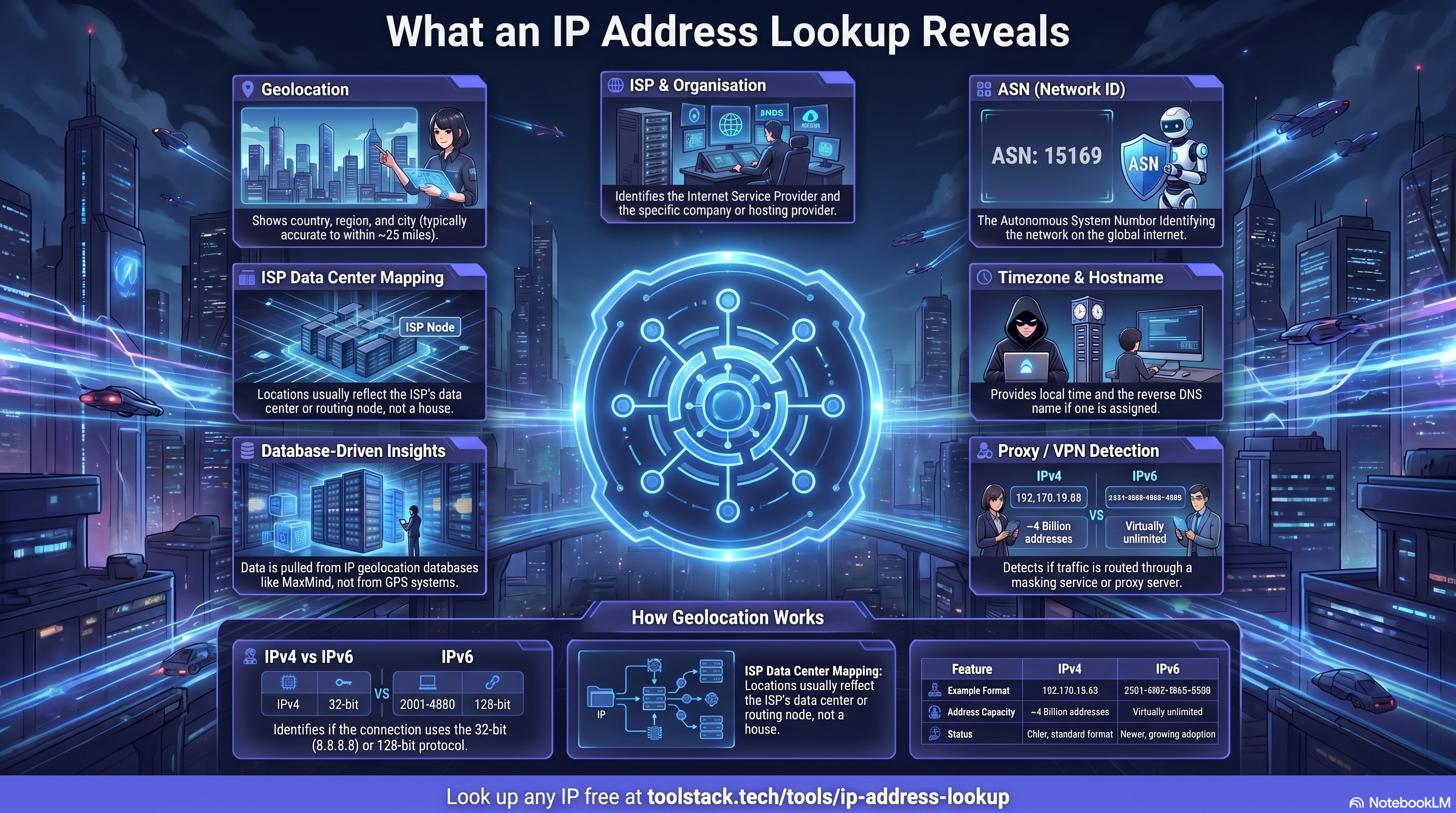
Geolocation
Country, region, city (~25 mile radius)
ISP
Internet Service Provider name
Organisation
Company or hosting provider
ASN
Autonomous System Number
Timezone
Local timezone of the IP
Hostname
Reverse DNS name if available
Proxy / VPN
Flagged yes/no with type
IP Version
IPv4 or IPv6 protocol
The organisation fieldis often the most revealing. If it shows Amazon Web Services, Google Cloud, or DigitalOcean, the IP belongs to a server — not a person sitting at a laptop. That single field can confirm whether you're dealing with a real user or automated traffic.
How to Use the IP Address Lookup Tool
The entire process takes under 5 minutes. Here's the step-by-step workflow.
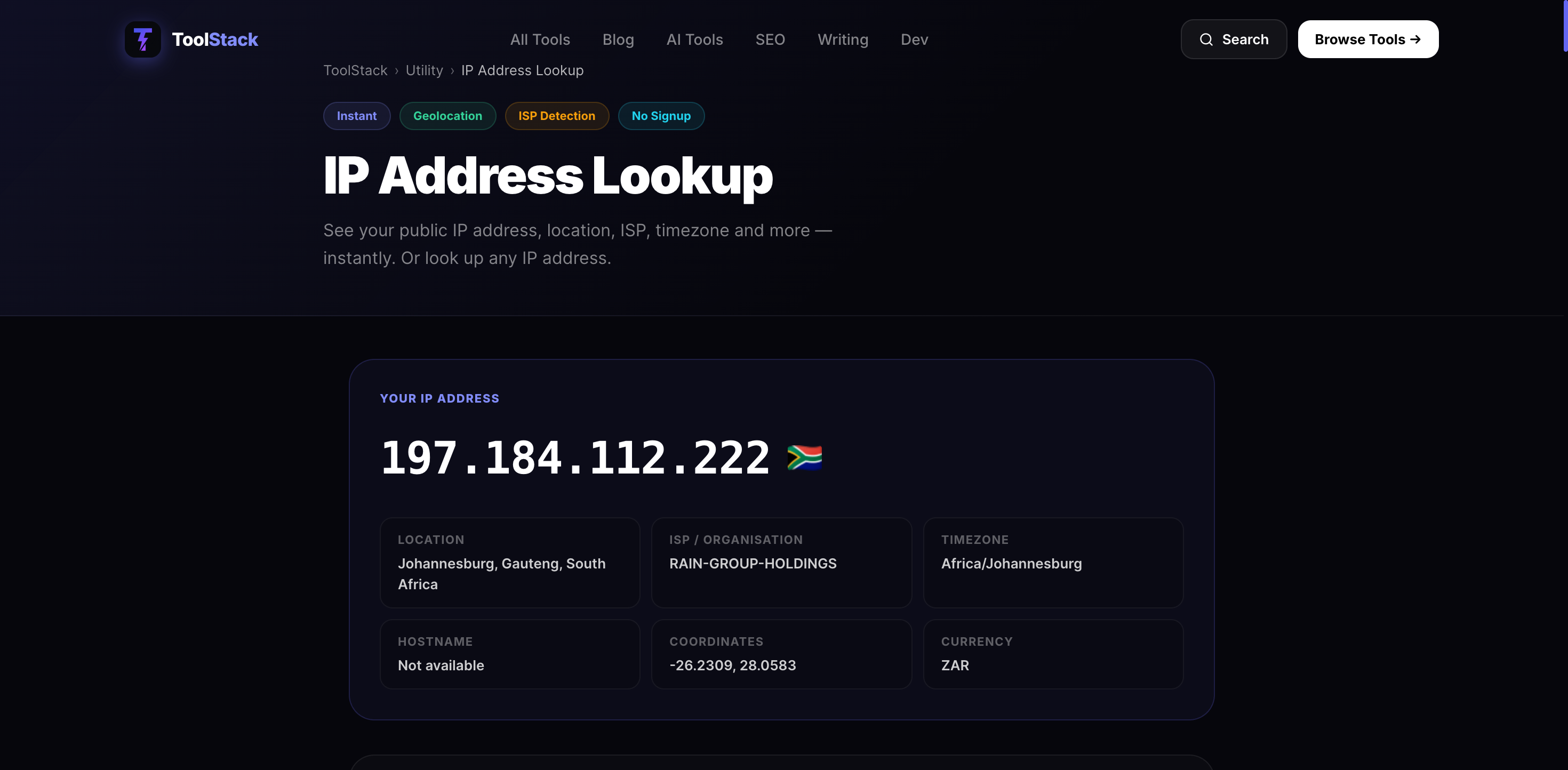
Go to the free IP lookup tool
⏱ 30 secondsHead to toolstack.tech/tools/ip-address-lookup. No account, no signup, no download. Your public IP address is detected and displayed automatically the moment you land on the page.
Read your results
⏱ 1 minuteYou'll see 8 data fields instantly: geolocation, ISP, organisation, ASN, timezone, hostname, and proxy/VPN detection. Each field is labelled clearly. The organisation field is one of the most useful — if it says Amazon Web Services or Google Cloud, you're looking at a server, not a person.
Look up any IP address
⏱ 30 secondsPaste any public IP address into the input field and hit Look Up. You can investigate a suspicious login IP, check where a website's server is located, or verify whether an IP belongs to a real user or a datacenter.
Interpret the data correctly
⏱ 2 minutesCountry-level accuracy is 99%+. City-level is 50–75%. IP geolocation is not GPS — it shows where an ISP registered the IP range, not a physical street address. For VPN detection, a 'yes' flag with a datacenter organisation name is a strong indicator the IP isn't a real residential user.
Try the Free IP Address Lookup Tool
No account. No download. Instant results for any IP address.
Look Up an IP Address →How Accurate Is IP Geolocation?
IP geolocation is not GPS. The accuracy drops significantly as you zoom in. Here's what to expect at each level — and why the distinction matters for how you interpret results.
Reliable For
- Country-level verification
- VPN detection
- Identifying datacenter vs residential
- ISP and ASN identification
Not Reliable For
- Street-level location
- Exact physical address
- Mobile user location
- Legal proof of location
5 Real-World Use Cases
These are the most common reasons people run IP lookups — and how to action each one.
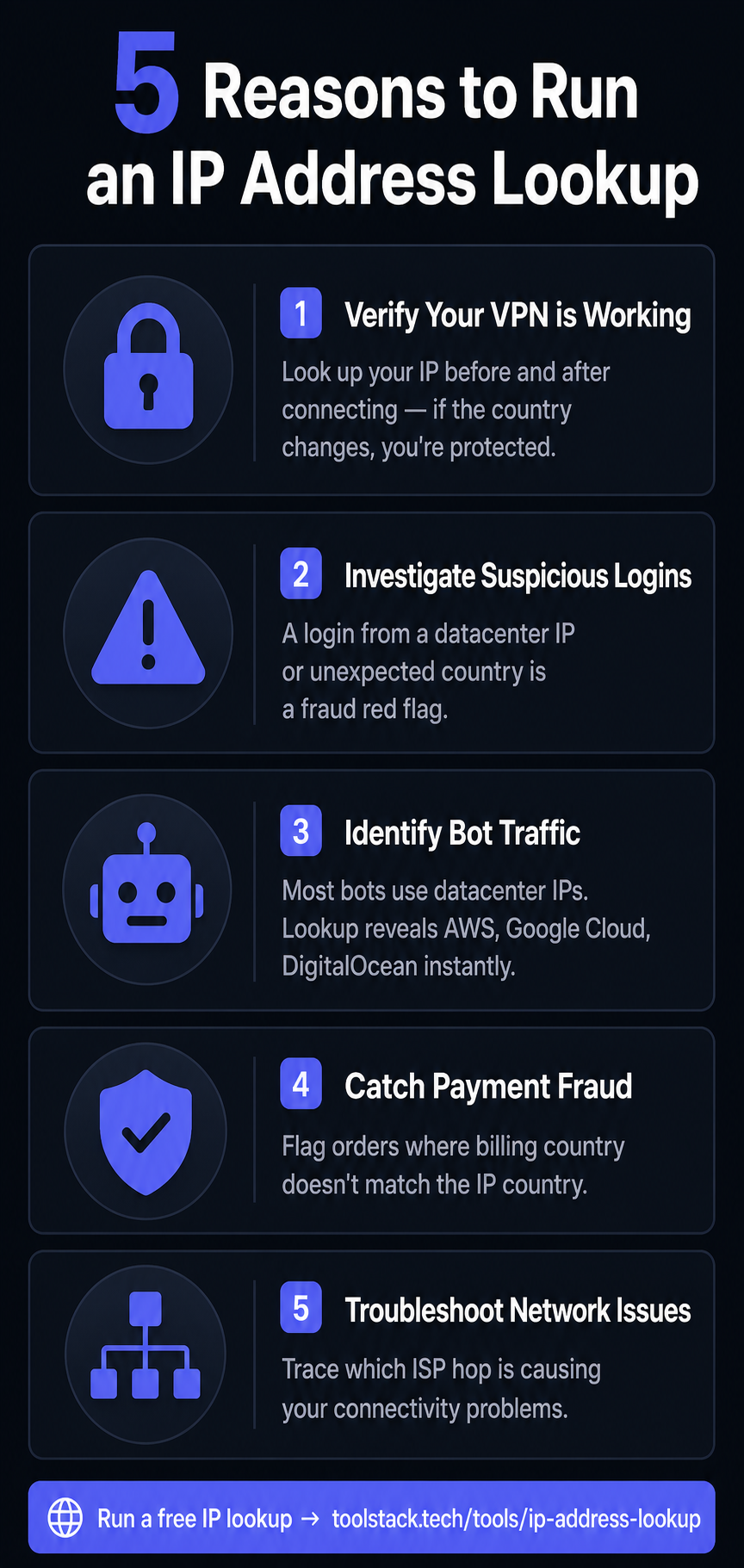
#1Verify Your VPN Is Working
Run a lookup before connecting to your VPN and note your country and ISP. Connect, then run it again. If the country changes, your VPN is routing correctly. If it doesn't, your traffic is still exposed.
#2Investigate Suspicious Logins
A login from an unexpected country or a datacenter IP is a red flag. Paste the login IP into the tool — if the organisation field shows AWS or DigitalOcean, someone used a server or VPN to access your account.
#3Identify Bot Traffic
Most automated bots originate from datacenter IPs, not residential connections. If you're seeing suspicious traffic on your website, look up those IPs. A datacenter ASN confirms you're dealing with bots, not real visitors.
#4Catch Payment Fraud
E-commerce teams use IP lookup to flag orders where the billing address country doesn't match the IP country. A UK billing address with a Nigerian IP is a common fraud signal that manual review can catch instantly.
#5Troubleshoot Network Issues
If you're experiencing connectivity problems, look up the IPs in your traceroute output. Identifying which ISP or ASN controls the problematic hop tells you exactly where to direct a support request.
Common Mistakes (And How to Avoid Them)
Most errors come from misreading what IP geolocation can and can't tell you. Here's what trips people up most often.
❌ The Mistake
✅ The Fix
Confusing private IP with public IP
Your private IP (192.168.x.x or 10.x.x.x) is only visible on your local network. IP lookup tools only work with public IPs — the address your ISP assigns you.
Expecting street-level accuracy
IP geolocation shows the city where your ISP registered the IP block, not your home address. City-level accuracy is 50–75%. Never use it as a substitute for GPS location.
Assuming a datacenter IP means fraud
Many legitimate users access the internet through corporate proxies, cloud desktops, or VPNs that show datacenter IPs. It's a signal to investigate further, not an automatic fraud verdict.
Forgetting that mobile IPs rotate
Mobile carriers share IP blocks across thousands of users. A mobile IP may geolocate to a cell tower city miles from the user's actual location, and the same IP may be reused by many different people.
Looking up IPv6 addresses incorrectly
IPv6 addresses are longer and use colons instead of dots. The tool handles both IPv4 and IPv6 — just paste the full address including all segments.
IP Lookup Checklist
Tick each step as you go — track your progress below
Related Free Tools
Frequently Asked Questions
What does an IP address lookup show?
It reveals the country, region, and city the IP is registered to, the ISP, the organisation or hosting company, the ASN, timezone, hostname, and whether the IP is flagged as a VPN, proxy, or datacenter.
How accurate is IP address geolocation?
Country-level is 99%+ accurate. Region/state is 80–90%. City is 50–75%. Street-level is not reliable — it shows where an ISP registered an IP block, not the user's physical location.
Can I look up someone else's IP address?
You can look up any public IP address. Looking up IPs that contacted your server is legal in virtually all jurisdictions. Using IP lookup to track individuals without consent may violate GDPR and other privacy laws.
What is the difference between a public and private IP?
A private IP (192.168.x.x or 10.x.x.x) exists only on your local network and cannot be looked up externally. A public IP is assigned by your ISP and is what the internet sees. Only public IPs can be looked up.
How do I check if my VPN is working?
Run a lookup before connecting and note your country and ISP. Connect to the VPN and run it again. If the country and ISP have changed, your VPN is routing correctly.
Why does my IP show the wrong city?
IP geolocation shows where your ISP registered the IP block, which may differ from your actual location. Mobile data IPs often geolocate to a cell tower city. This is a known limitation of IP-based geolocation.
What is an ASN in an IP lookup?
ASN stands for Autonomous System Number — it identifies the network that controls a block of IP addresses. If the ASN belongs to AWS or Google Cloud, the IP is almost certainly a server or bot rather than a real person.
Is the IP address lookup tool really free?
Yes — completely free, no account required. Visit toolstack.tech/tools/ip-address-lookup to look up any IP instantly.
Look Up Any IP Address — Free
Geolocation, ISP, ASN, VPN detection and more. No account. No limits. Instant results.
Open IP Address Lookup →
Justin Pirrie
Founder, ToolStack
Justin builds free online tools used by 50,000+ people monthly. ToolStack removes the paywall from tools that should never have had one. Follow on LinkedIn.