
How a Mortgage Calculator Works (+ How Much House You Can Afford)

Justin Pirrie
Founder, ToolStack · July 23, 2026
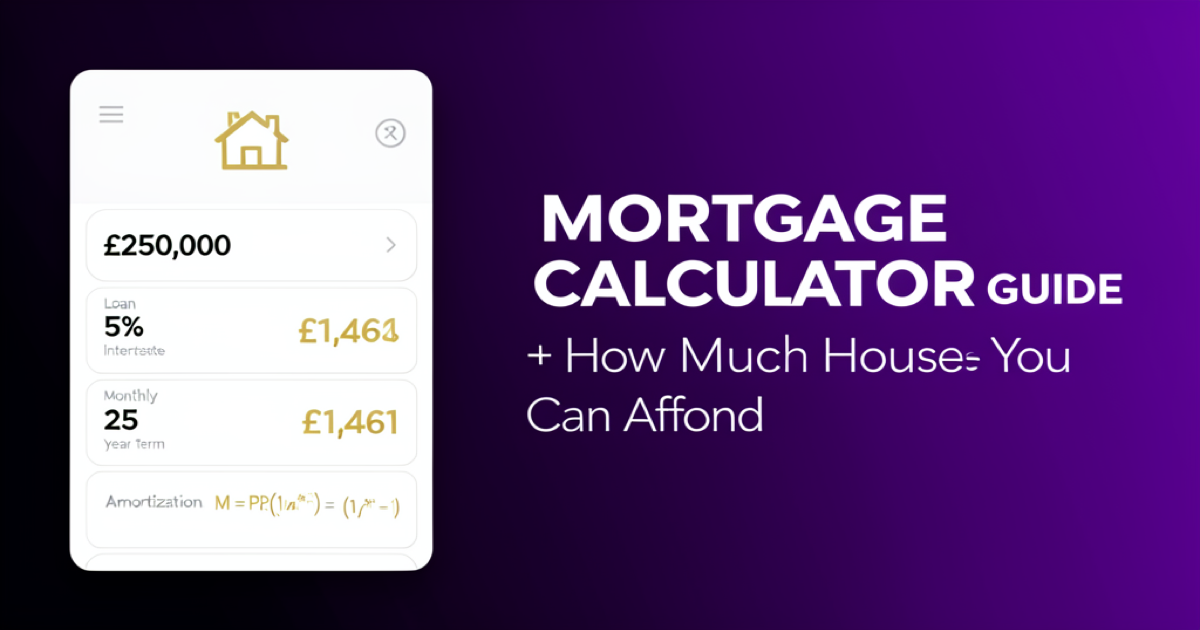
A mortgage calculator works by applying the amortization formula M = P[r(1 + r)ⁿ] / [(1 + r)ⁿ − 1] to your loan amount, interest rate, and term, producing a fixed monthly payment that clears the loan exactly on schedule.Every month, part of that payment covers interest on the balance and the rest chips away at the principal — heavily weighted to interest at the start, and to principal by the end.
Understanding what the calculator is doing helps you make the two decisions that matter most: how much to borrow and how long to borrow it for. This guide walks through the formula, every input, a full worked example, and the simple affordability rule lenders actually use.
See your monthly payment and full amortization schedule in seconds.
Open the free Mortgage Calculator →Key Takeaways
- The payment formula is M = P[r(1+r)ⁿ] / [(1+r)ⁿ − 1] — loan amount, monthly rate, and number of payments.
- A longer term lowers the monthly payment but sharply raises total interest.
- The 28/36 rule is a quick affordability check: housing ≤ 28% of gross income, all debt ≤ 36%.
- Overpaying early removes future interest and can cut years off the loan.
🎙 Listen to the full podcast episode
🎬 Watch: how mortgages really work
Advertisement Space
What a Mortgage Calculator Actually Does
A mortgage calculator turns three numbers — how much you borrow, the interest rate, and the term — into one fixed monthly payment. It solves for the payment that pays off the whole loan, plus interest, in equal instalments over the term. This process is called amortization.
The clever part is how each payment is split. Interest is always charged on the remainingbalance, so in month one — when the balance is highest — most of your payment is interest. As the balance falls, the interest portion shrinks and more of each payment goes to principal. That’s why the balance barely moves in the early years and then falls quickly near the end.

The Mortgage Payment Formula
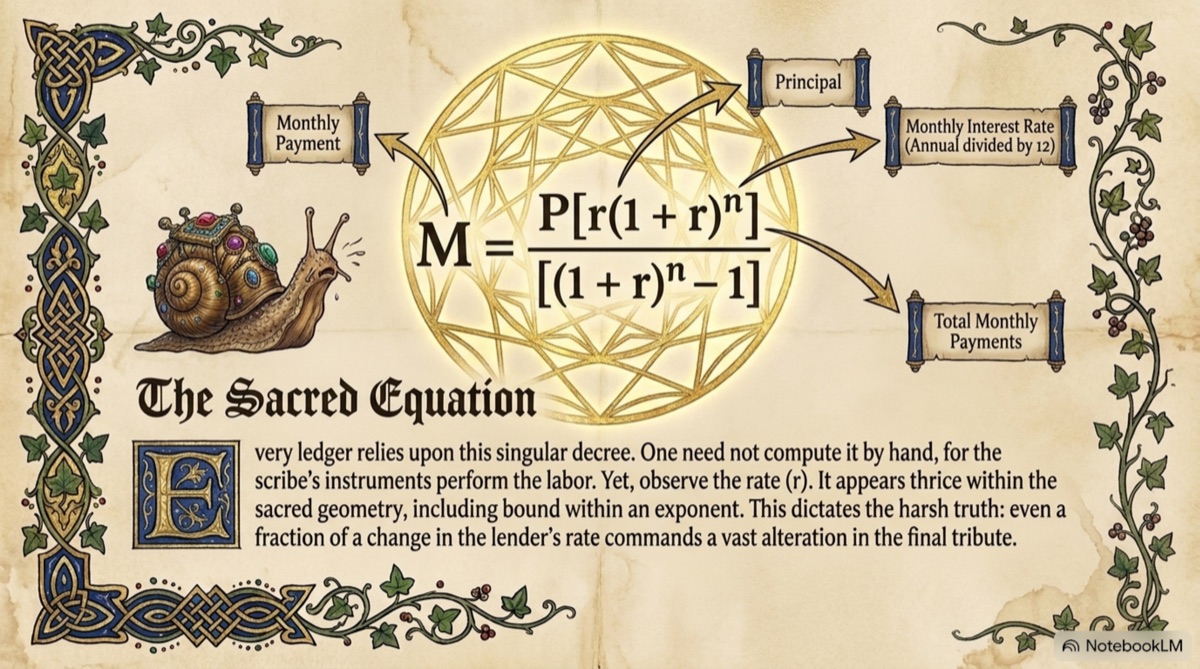
Every mortgage calculator is solving this one equation:
M = P × [ r(1 + r)n ] / [ (1 + r)n− 1 ]
- M = the monthly payment
- P = the principal (property price minus your deposit)
- r = the monthly interest rate (annual rate ÷ 12, as a decimal)
- n = the total number of monthly payments (years × 12)
You never need to work this out by hand — that’s the calculator’s job — but knowing the shape of it explains why small rate changes move your payment so much: the rate appears three times, including inside an exponent.
Worked Example: £250,000 at 5% Over 25 Years
Suppose you borrow £250,000 at a 5% annual rate over 25 years. Convert the inputs first: the monthly rate is 0.05 ÷ 12 = 0.004167, and the number of payments is 25 × 12 = 300.
P = £250,000
r = 0.004167 (5% ÷ 12)
n = 300 (25 × 12)
Monthly payment = £1,461
Total paid = £1,461 × 300 = £438,435
Total interest = £188,435
Over 25 years you repay the £250,000 you borrowed plus£188,435 in interest — roughly three-quarters of the loan again. That figure is exactly why the term you choose matters so much.
How the Term Changes Everything
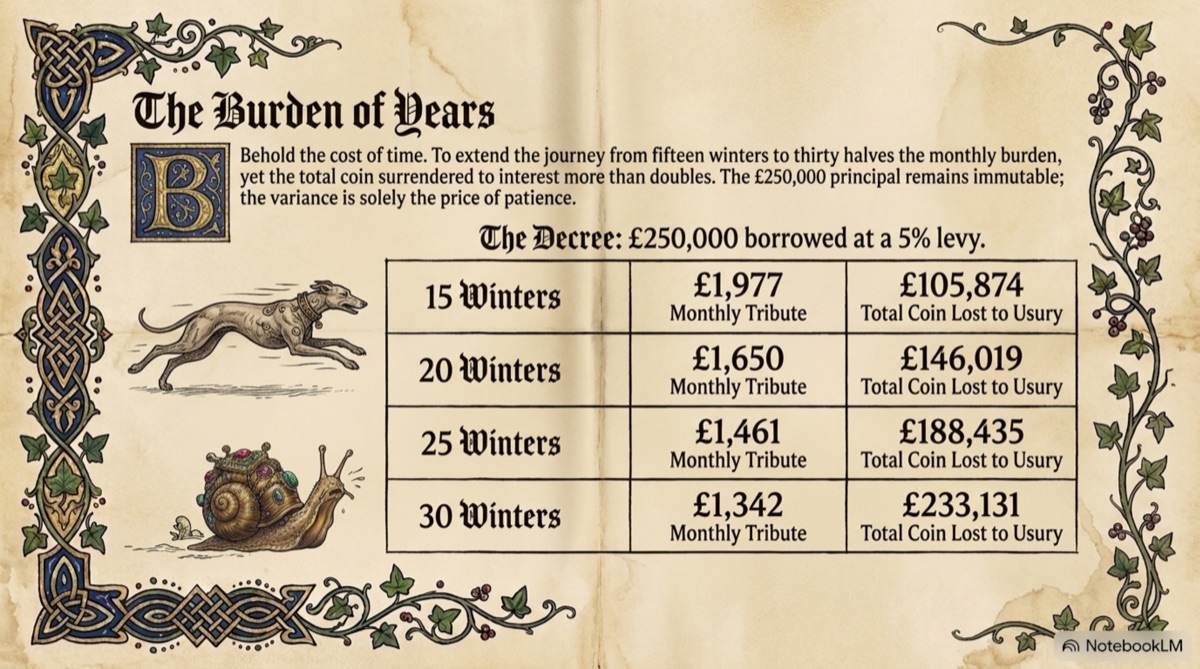
A longer term spreads the same loan over more payments, so each one is smaller — but you pay interest for far longer. Here’s the same £250,000 at 5% across four common terms:
| Term | Monthly payment | Total interest |
|---|---|---|
| 15 years | £1,977 | £105,874 |
| 20 years | £1,650 | £146,019 |
| 25 years | £1,461 | £188,435 |
| 30 years | £1,342 | £233,131 |
Going from 30 years to 15 more than doubles nothing about the loan — the £250,000 is identical — yet it saves about £127,000 in interest. The trade-off is a payment that’s roughly £635 higher each month. A good mortgage calculator lets you slide the term back and forth to find the balance you can actually afford.
How Much House Can You Afford? The 28/36 Rule
Before you fall in love with a listing, work out what you can comfortably carry. Lenders and financial planners lean on the 28/36 rule:
- 28% — the front-end ratio: your monthly housing costs (mortgage, taxes, insurance) should stay at or below 28% of your gross monthly income.
- 36% — the back-end ratio: all your monthly debt payments combined (housing plus loans, cards, car finance) should stay at or below 36%.
On a £6,000 gross monthly income, that’s about £1,680 for housing and £2,160 for total debt. Plug a payment near your 28% ceiling into the calculator, then work backwards to the loan amount — that’s a realistic budget, not a bank’s maximum.

Why Extra Payments Are So Powerful
Because interest is charged on the outstanding balance, every extra pound of principal you pay wipes out all the future interest that pound would have generated. Overpaying early — when the balance and interest are highest — has the biggest effect.
On our £250,000 mortgage at 5% over 25 years, adding just £100 a month can shorten the term by roughly three years and save tens of thousands in interest. Use the calculator’s extra-payment field to test it: even small, consistent overpayments quietly rewrite the amortization schedule in your favour.

What the Calculator Doesn’t Show
A basic mortgage calculator gives you principal and interest — the loan itself. Your real monthly outgoing is usually higher once you add:
- Property taxes (council tax in the UK, property tax in the US)
- Buildings and contents insurance
- Mortgage insurance if your deposit is small (e.g. US PMI)
- Service charges or ground rent on leasehold or condo properties
Always budget for these on top of the calculator’s figure. The principal-and-interest number tells you what the loan costs; these extras tell you what the home costs.

Run the Numbers on Your Own Mortgage
Play with the loan amount, rate, and term and watch the monthly payment and total interest update live. Our free mortgage calculatorincludes a full amortization schedule for repayment and interest-only mortgages in 15 currencies — no signup, no email.
Try It Free →Building a property or finance brand? Grow your audience with AWeber for email marketing, and spin up high-converting ad copy in seconds with AdvertsGPT.
Frequently Asked Questions
How does a mortgage calculator work?
A mortgage calculator applies the standard amortization formula to your loan amount, interest rate, and term to work out a fixed monthly payment that pays the loan off exactly on schedule. Each month, part of the payment covers interest on the outstanding balance and the rest reduces the principal. Early on, most of the payment is interest; over time, more goes to principal.
What is the mortgage payment formula?
The monthly payment formula is M = P × [ r(1 + r)^n ] / [ (1 + r)^n − 1 ], where P is the loan amount, r is the monthly interest rate (annual rate ÷ 12), and n is the total number of monthly payments (years × 12). The calculator solves this in a fraction of a second for any combination of inputs.
How much house can I afford?
A common guideline is the 28/36 rule: keep your monthly housing costs at or below 28% of your gross monthly income, and your total monthly debt payments at or below 36%. For example, on a £6,000 gross monthly income, aim for a mortgage payment of around £1,680 or less. Lenders use similar ratios when deciding how much to lend.
What inputs do I need for a mortgage calculator?
At minimum you need the loan amount (property price minus your deposit), the annual interest rate, and the term in years. Better calculators also let you add a deposit, property taxes, insurance, and extra monthly payments so the estimate reflects your true cost rather than just principal and interest.
How does the loan term change my payment?
A longer term lowers the monthly payment but increases the total interest you pay. For a £250,000 loan at 5%, a 15-year term costs about £1,977/month but only ~£106,000 in total interest, while a 30-year term drops the payment to ~£1,342 but costs ~£233,000 in interest — more than double, for the same loan.
What is an amortization schedule?
An amortization schedule is a month-by-month table showing how each payment splits between interest and principal, and how the balance falls to zero by the end of the term. It reveals how slowly the balance drops in the early years and why overpaying early saves the most interest.
Do extra payments really save money?
Yes — significantly. Because interest is charged on the outstanding balance, every extra pound of principal you pay removes all the future interest that pound would have accrued. On a £250,000 mortgage at 5% over 25 years, an extra £100 a month can shorten the term by roughly three years and save tens of thousands in interest.
How much deposit or down payment do I need?
It varies by country and lender, but a larger deposit means a smaller loan, a lower monthly payment, and often a better interest rate. In the UK, 5–10% is common for first-time buyers, while 20%+ typically unlocks the best rates and avoids extra insurance costs. Reducing the loan amount is the single biggest lever on your monthly payment after the interest rate.
Does a mortgage calculator include taxes and insurance?
A basic calculator shows only principal and interest. Your real monthly cost usually also includes property taxes, buildings insurance, and — depending on your deposit and country — mortgage insurance. Always budget for these on top of the calculator's principal-and-interest figure so you're not caught short.
Is there a free mortgage calculator?
Yes — ToolStack's free Mortgage Calculator shows your monthly payment, total interest, and a full amortization schedule for repayment and interest-only mortgages across 15 currencies. It runs in your browser, needs no signup, and updates instantly as you change the inputs.
Some links on this page are affiliate links. If you purchase through these links, I may earn a commission at no extra cost to you. I only recommend products I genuinely use and trust. This article is general information, not financial advice.