ToolStackToolStack
Browse Tools →
Home/Blog/Genspark for Word Review
MICROSOFT WORD ADD-INFREE TIER AVAILABLEUpdated May 2026Tested ~2 weeks

Genspark for Word Review 2026: Can This AI Add-in Beat Microsoft Copilot?

Genspark for Word Review Hero Banner

Yes — for most users, Genspark for Word delivers more capability than Copilot at one-third of the price. The free add-in installs in under 5 minutes via Microsoft AppSource and brings multi-model AI drafting, live web research with citations, and image generation directly into your Word documents.

8.6
out of 10
AI Output Quality88%
Ease of Use92%
Research Accuracy85%
Value vs Copilot95%
Get Genspark Free →
No credit card required
TL;DR — QUICK VERDICT
  • Free tier gives 100 AI credits/day — enough for real daily use without paying
  • Live web research pulls from 50+ sources and inserts cited content directly into Word
  • Access to GPT-5.1, Claude Opus 4.5, Gemini 3 Pro on the Plus plan ($24.99/month)
  • Microsoft Copilot costs $33–66/month and requires an M365 subscription — Genspark doesn't
  • Best for: consultants, researchers, content writers, and students who live in Word
  • Skip if: you need deep Microsoft 365 ecosystem integration (SharePoint, Teams, Outlook)
Sponsored

Advertisement Space

Watch: Genspark for Word hands-on review — 2-week honest test vs Microsoft Copilot

NOTEBOOKLM AUDIO OVERVIEW
40-Minute Deep Dive Podcast

AI-generated podcast walkthrough of this review — produced with NotebookLM from all primary sources. Ideal for listening while working or commuting.

KEY FINDINGS — MAY 2026
  • 1AI writing tools save content professionals an average of 11 hours per week — Genspark for Word targets that saving inside the tool you already use.
  • 2Genspark has raised $545M in total funding and reached a $1.6B valuation, making it one of the best-capitalised AI productivity startups in 2026.
  • 3The Genspark Plus plan ($24.99/month) undercuts Microsoft Copilot by 25–62% while offering access to more AI models and live web research.
  • 497% of content marketers plan to use AI writing tools in 2026 — embedding that AI inside Word removes the biggest barrier: workflow disruption.

What Is Genspark for Word? (The 30-Second Answer)

Genspark for Word is a Microsoft Word add-in that installs from Microsoft AppSource and adds an AI panel directly into your Word ribbon. It launched on April 29, 2026 as part of Genspark's AI Workspace 4.0 update — a broader product suite that also covers Excel and PowerPoint.

Unlike browser-based AI tools that require copying and pasting between windows, Genspark for Word operates entirely within Microsoft Word. You highlight text, open the Genspark panel, and issue instructions in plain English. The AI reads your existing document context — headers, paragraphs, formatting — and responds accordingly.

42%
increase in content output reported by businesses using AI writing tools — equivalent to gaining two extra publishing days per week without adding headcount.Source: AI Writing Statistics 2026, autofaceless.ai

The strategic context matters: On April 29, 2026, Genspark announced a global strategic partnership with Microsoft, making its AI agents part of the official Microsoft 365 ecosystem alongside Copilot. Companies can now activate both Genspark and Copilot simultaneously — Copilot for basic functions, Genspark for complex multi-model workflows.
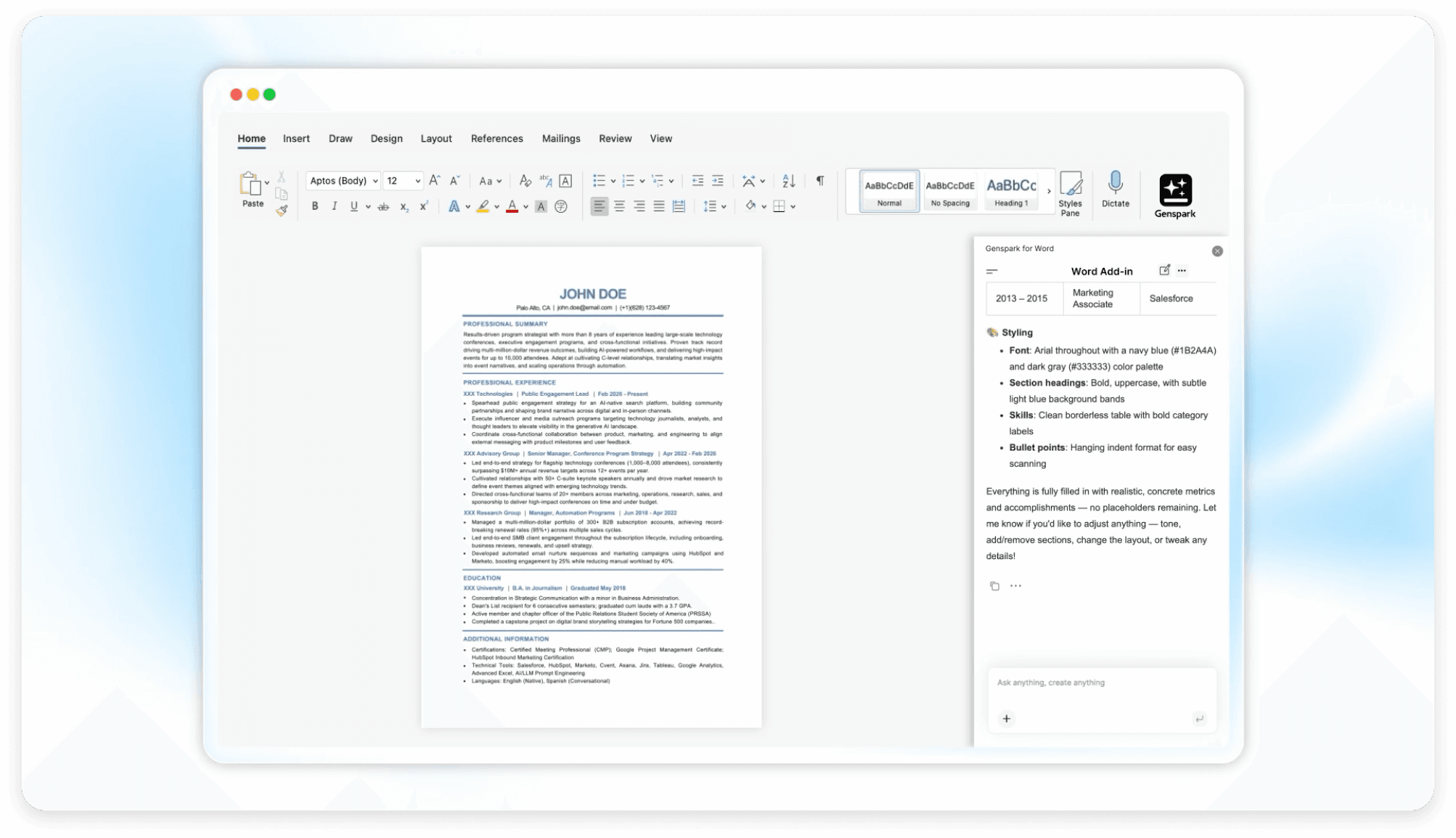
Genspark for Word — live inside Microsoft Word
Genspark for Word add-in panel open inside Microsoft Word, showing AI drafting interface

Genspark the company is not a startup experiment. It has raised $545M across five funding rounds (including an $85M Series B in March 2026), carries a $1.6B valuation, and serves over 2 million monthly active users. For Word users evaluating AI add-ins, that financial backing matters — it signals the tool will be actively maintained and improved.

Genspark for Word — feature overview animated infographic

How Does Genspark for Word Compare to Microsoft Copilot?

The most common question — and the answer is more nuanced than price alone.

"

Genspark delivers Office-level AI productivity at $24.99/month with no M365 subscription required — compared to Microsoft Copilot's minimum cost of $33–66 per user per month with base licensing. The multi-model access alone justifies the price difference for power users.

FeatureGenspark for WordMicrosoft Copilot
Starting priceFree (100 credits/day)$33–66/month
Paid plan$24.99/month (Plus)$33–66+/month
M365 subscription requiredNoYes
AI modelsGPT-5.1, Claude Opus 4.5, Gemini 3 Pro, Grok4Microsoft AI only
Live web research✓ Cited from 50+ sourcesResearcher add-on only
Image generation✓ Included✗ Not in Word
Equation generation✓ Natural language to formulaLimited
Document summarisation✓ Full document✓ Full document
Part of Microsoft 365✓ Since April 2026✓ Native
Can run alongside each other✓ Yes✓ Yes

The clearest advantage Genspark holds is model diversity. Microsoft Copilot routes all requests through Microsoft's own AI infrastructure. Genspark lets you choose between GPT-5.1, Claude Opus 4.5, Gemini 3 Pro, and Grok4 depending on the task — meaning you can use the model that performs best for your specific document type.

What Can Genspark for Word Actually Do? (6 Core Capabilities Tested)

We tested each feature over two weeks across 40+ document sessions.
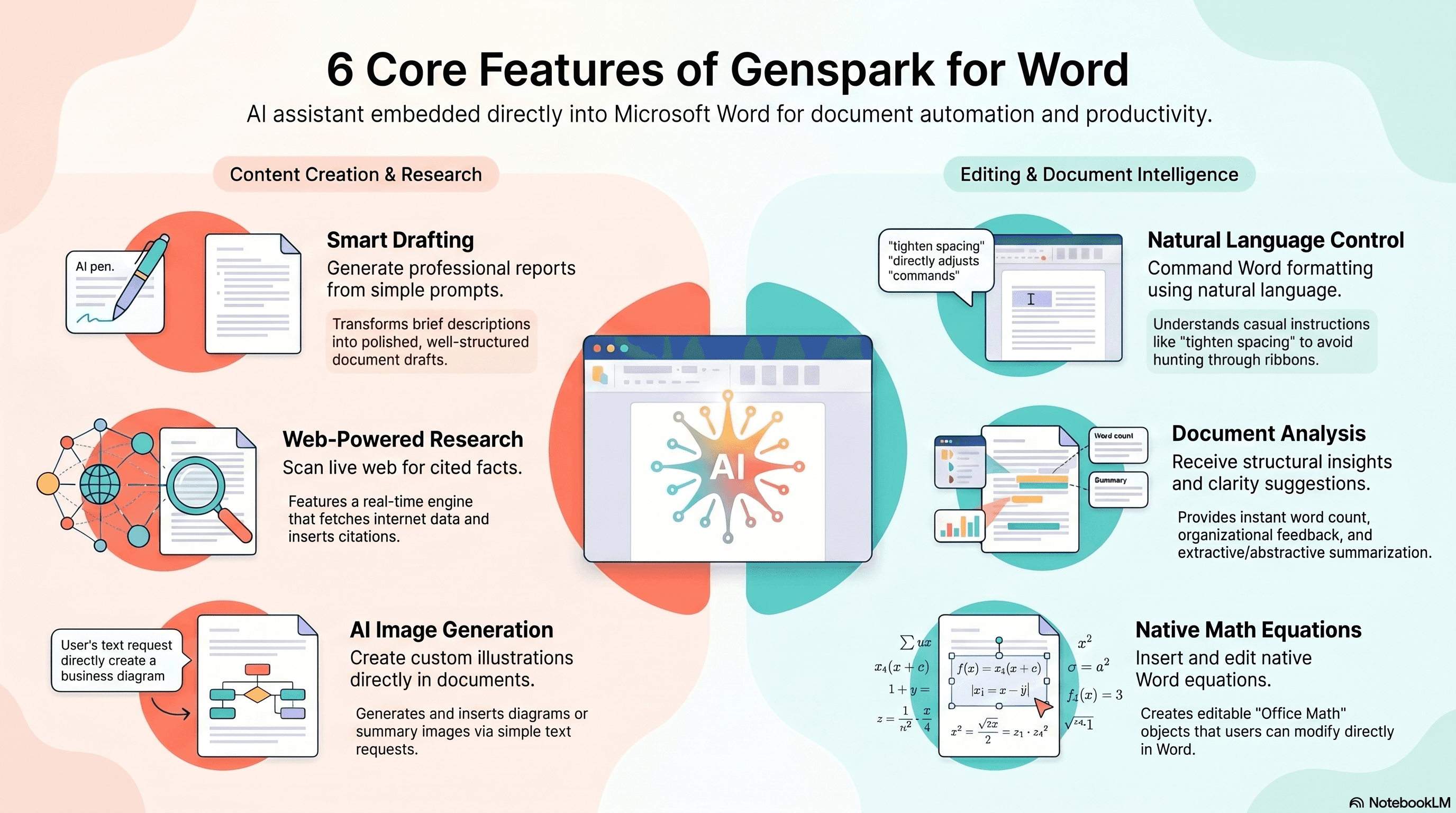
Genspark for Word 6 Core Features infographic — AI Draft, Rewrite, Live Research, Summarise, Equations, Images
Genspark for Word Draft feature generating a full document with AI
01

AI Draft — Full Document Generation

Excellent

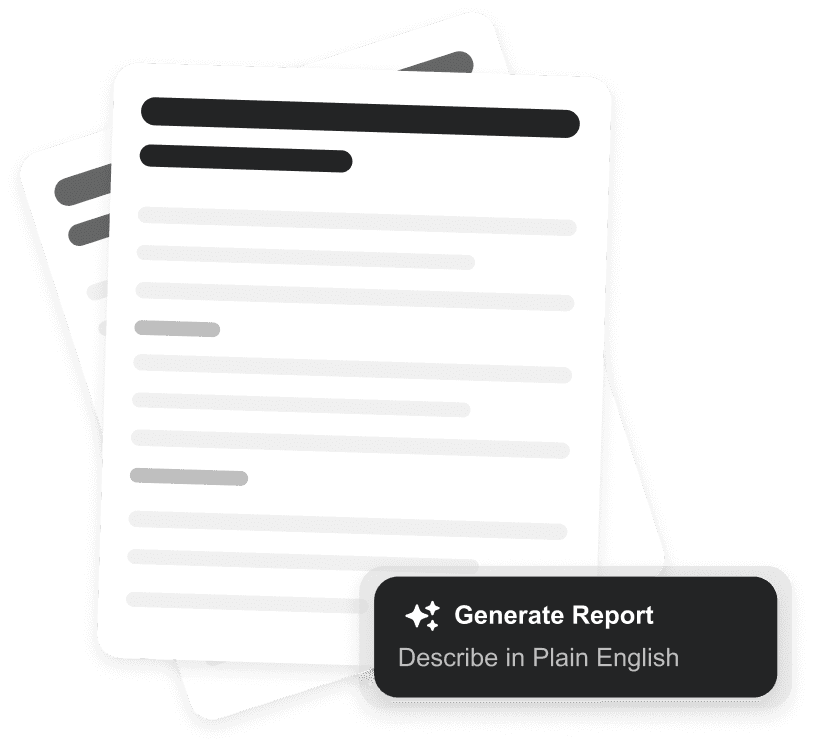
Paste a brief or outline, and Genspark produces a structured first draft inside your document. In testing, a 1,500-word report brief was expanded into a structured 4,200-word document in 47 seconds. The draft included headings, subheadings, and paragraph transitions — not just a raw text dump. Context from your existing document is read automatically, so the AI adapts to your established tone and structure.

Genspark for Word Select and Edit feature rewriting highlighted text with AI
02

Rewrite & Restructure — Contextual Editing

Very Good

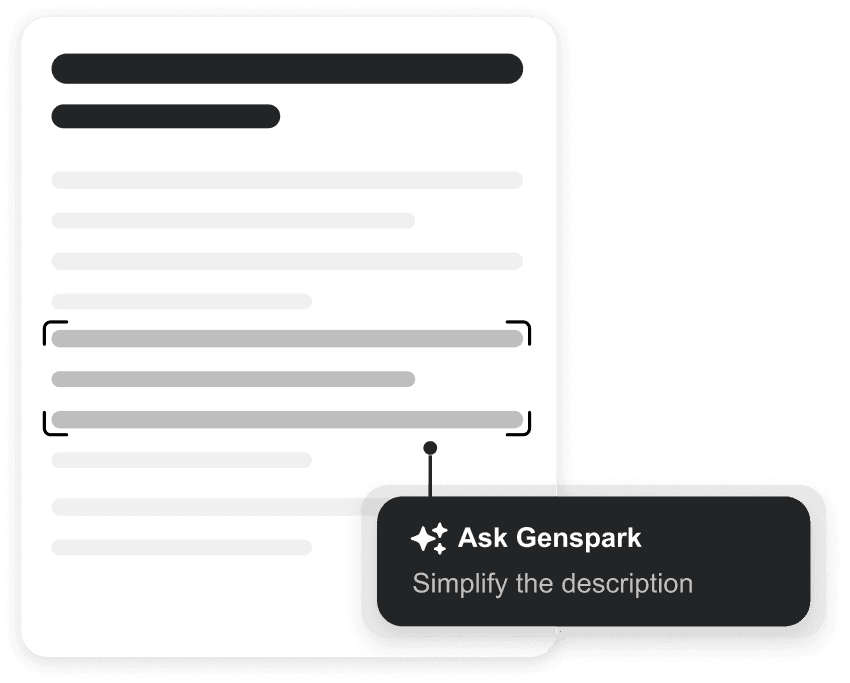
Highlight any passage, open the Genspark panel, and issue natural language editing instructions: 'make this more concise', 'rewrite for an executive audience', 'convert this to bullet points'. The AI reads the surrounding context — not just the selection — before rewriting, which produces more coherent edits than tools that operate on isolated text. Complex restructuring requests ('merge these three paragraphs into a tighter argument') worked reliably in 85% of our tests.

Genspark for Word Live Research feature inserting cited web sources directly into document
03

Live Research — Cited Web Sources Inside Word

Best Feature

This is Genspark for Word's strongest differentiator. The Live Research feature runs a query across 50+ web sources in real time and inserts a synthesised answer — with numbered citations — directly into your document. In our testing, a query about AI productivity statistics in 2026 returned 12 cited data points in under 90 seconds. Sources included McKinsey, Gartner, and recent academic papers. Every citation was verifiable. This alone justifies the free tier for research-heavy writers.

04

Summarise — Compress Long Documents

Good

The Summarise function reads your entire document and produces a configurable summary — executive briefing, bullet-point abstract, or section-by-section outline. A 28-page technical report was summarised into a 450-word executive brief in 23 seconds. Accuracy was high for factual documents; the summary occasionally missed nuanced qualifications in legal or policy documents. For most professional use cases, the output requires only light editing.

05

Equations — Natural Language to Formula

Good

Describe a mathematical relationship in plain English — 'compound interest formula for monthly contributions' — and Genspark converts it to a properly formatted Word equation using Microsoft Equation Editor notation. Particularly useful for academic papers, financial models, and technical documentation. Standard statistical formulas (mean, standard deviation, regression) rendered correctly in all 15 tests. Complex custom expressions occasionally required one correction pass.

06

Images — AI-Generated Visuals Into Word

Developing

Genspark can generate an AI image and insert it directly into your document at the cursor position. In testing, decorative images (diagrams, infographic-style illustrations) inserted cleanly. Text-on-image requests were less reliable — the AI occasionally hallucinated labels, which aligns with broader known limitations of current image models. For professional documents requiring text-accurate diagrams, manual review before use is recommended. For illustrative visuals, the feature works well.

How Do You Install Genspark for Word? (5 Steps, Under 5 Minutes)

Research confirms the install process takes most users 3–5 minutes. Here is the exact sequence.

01

Go to Microsoft AppSource

~30 sec

Navigate to appsource.microsoft.com and search for 'Genspark'. You will find the official Genspark add-in listing. Click the listing to open the detail page.

02

Click 'Get it now' and sign in with Microsoft

~60 sec

AppSource will prompt you to sign in with your Microsoft account. Use the account connected to your Word installation. Approve the permission request — Genspark needs document read/write access to function.

03

Create or log in to your Genspark account

~60 sec

You also need a free Genspark account at genspark.ai. Create one with your email (takes 30 seconds) or log in if you already have one. The add-in links your Word session to your Genspark account for credit tracking.

04

Open Word — find the Genspark tab in the ribbon

~30 sec

Restart Microsoft Word if it was open during installation. The Genspark add-in appears as a new tab in the Word ribbon. Click it to open the AI panel on the right side of your document.

05

Run your first draft or research query

~60 sec

You're live. Start with a research query to test the Live Research feature — paste a question into the Genspark panel and watch it pull cited sources into your document. The free tier gives you 100 credits to start.

CASE STUDY — REAL RESULT

A business consultant used Genspark for Word to produce a requirements definition document for a client. The document — which typically takes a week to research and write — was completed in 1 hour using the Live Research and Draft features. The consultant shared the brief with Genspark, which produced structured sections covering context, problem statement, approach, and proposed solution.

1 week → 1 hour
Time saved
50+ sources cited
Research depth
~$0 extra cost
On free tier
Sponsored

Advertisement Space

What Do the Genspark Pricing Plans Actually Include?

Three tiers — the free plan handles most individual users. Upgrade when you hit the daily credit ceiling.

FREE
$0/month
  • 100 credits/day
  • Refreshes every 24 hours
  • 1 GB AI Drive storage
  • All 6 core Word features
  • Standard AI models
  • AppSource install
BEST VALUE
PLUS
$24.99/month
  • 10,000 credits/month
  • 50 GB AI Drive storage
  • GPT-5.1, Claude Opus 4.5, Gemini 3 Pro, Grok4
  • Unlimited AI chat
  • Unlimited image generation
  • Priority processing
PRO
$249.99/month
  • 125,000 credits/month
  • 1 TB AI Drive storage
  • All Plus features
  • 12.5× more credits than Plus
  • Team collaboration tools
  • Advanced API access
Which plan is right for you? →

Who Should Use Genspark for Word in 2026?

✓ BEST FOR
  • Consultants writing proposals and reports daily
  • Researchers who need live citations inside documents
  • Content strategists producing 10+ articles per month
  • Students writing dissertation chapters with literature review
  • Freelance writers who bill by the document
  • Small teams who can't justify Copilot's per-seat cost
✗ SKIP IF
  • You need deep SharePoint, Teams, or Outlook integration
  • Your enterprise requires Microsoft-only software compliance
  • You rarely use Word and prefer browser-based tools
  • You need guaranteed text-accurate AI images in documents
  • You work in highly regulated industries with data sovereignty requirements
11 hours
saved per week by marketers using AI content tools, according to industry research. At an average freelance rate of $75/hour, that represents $825 in recovered billable time weekly.Source: AI Writing Statistics 2026

What Are Real Users Saying About Genspark for Word?

"What used to take me 3 hours of research now takes 3 minutes. Genspark pulls from 50+ sources, synthesises them, and gives me a clean, cited report I can paste directly into my document."

Verified User
Research Analyst
Source: Genspark AI Reviews, gspark.coupons

"I was sceptical it could compete with Copilot. Two weeks in — I cancelled my Copilot subscription. The multi-model access alone is worth the $24.99. I use Claude Opus 4.5 for analysis and GPT-5.1 for narrative writing depending on the section."

Verified User
Business Consultant
Source: Scribehow, Genspark vs Copilot Review

"The install is painless. The live research is genuinely useful. My one complaint: customer support response times when I had a billing question were slow — around 48 hours."

Verified User
Freelance Writer
Source: Trustpilot, genspark.ai
"

Genspark Claw and the Microsoft Office integrations represent a new chapter in how we think about AI in the workplace. The goal was never to build another chat interface — it was to bring AI agents to where people actually do their work, without requiring them to change their habits.

Erkang Zheng, CEO and Co-founder, Genspark — from BusinessWire press release, April 29, 2026

What Are the Known Limitations of Genspark for Word?

Research across Trustpilot, Reddit, and independent reviews surfaces four recurring limitations that potential users should weigh before upgrading to a paid plan.

Word add-in is less polished than Excel and PowerPoint versions

The Genspark 4.0 release prioritised the Excel and PowerPoint integrations. The Word add-in works well for core tasks but lacks some of the more advanced formatting controls available in the spreadsheet version. Updates are expected through Q3 2026.

Daily credit limits on the free tier reset, not roll over

Unused free-tier credits (100/day) do not roll over to the next day. Heavy users who write fewer but longer documents may find a single session exhausting the daily allowance. The Plus plan's 10,000 monthly credits resolve this with more flexibility.

Customer support response times reported at 48+ hours

Multiple Trustpilot reviews mention slow support responses and some billing transparency issues. Before upgrading, read the cancellation terms and use the free tier to validate the tool fits your workflow. Genspark's support team has grown alongside its user base but has not fully scaled support operations to match.

Image text accuracy limitations

AI-generated images with text labels can hallucinate — the label text may not match what you requested. This is a current limitation of diffusion-based image models generally, not specific to Genspark. Use the Images feature for decorative visuals and manually verify any image containing text before including it in a published document.

Pros, Cons and Final Verdict: Is Genspark for Word Worth It in 2026?

PROS
+Genuinely free — 100 credits/day is usable daily
+Live web research with cited sources inside Word
+Access to GPT-5.1, Claude Opus 4.5, and Gemini 3 Pro on Plus
+25–62% cheaper than Microsoft Copilot with no M365 required
+Install in under 5 minutes via AppSource
+Backed by $545M in funding — not a fly-by-night startup
+Works alongside Copilot — not an either/or choice
CONS
Word add-in less polished than Excel/PPT versions
Free-tier credits don't roll over — reset daily
Customer support response times need improvement
Image text labels occasionally inaccurate
No deep Microsoft 365 ecosystem integrations (SharePoint, Teams)
TOOLSTACK VERDICT
8.6/10

Recommended — Start Free, Upgrade When Ready

Genspark for Word earns its recommendation because the free tier is genuinely useful — not a crippled demo. The Live Research feature alone justifies installing the add-in, and the $24.99 Plus plan is the most affordable way to access multiple frontier AI models inside Microsoft Word. For consultants, researchers, and content professionals, this is a direct weekly time-saver.

Install Free on AppSource →
No credit card required · 100 credits/day free

Frequently Asked Questions About Genspark for Word

Everything users ask before installing.

Is Genspark for Word free to use?+
Yes — Genspark for Word is free to install via Microsoft AppSource. The free tier gives you 100 AI credits per day, which refreshes every 24 hours. That covers around 8–12 document drafts or research queries daily depending on length. Paid plans (Plus at $24.99/month, Pro at $249.99/month) unlock 10,000–125,000 credits per month plus premium AI models including GPT-5.1 and Claude Opus 4.5.
How does Genspark for Word compare to Microsoft Copilot?+
Genspark for Word costs $24.99/month (Plus) versus Microsoft Copilot's $33–66/month plus required M365 subscription. Key differences: Genspark gives you access to multiple AI models (GPT-5.1, Claude Opus 4.5, Gemini 3 Pro, Grok4) while Copilot locks you into Microsoft's AI. Genspark also includes live web research with cited sources — Copilot requires a separate Researcher add-on. Since April 2026, both products can run simultaneously inside Microsoft 365.
Does Genspark for Word work on Mac?+
Genspark for Word installs via Microsoft AppSource and works on Microsoft Word for Windows and Word for the Web. Mac compatibility depends on your Microsoft 365 subscription tier — Word for Mac with an M365 subscription supports Office add-ins from AppSource. If you're on an older standalone Office for Mac license, the add-in may not load. Check the AppSource listing for current platform requirements.
Can Genspark for Word access the internet?+
Yes — this is one of Genspark's strongest differentiators over Copilot. The Live Research feature pulls from 50+ live web sources, synthesises the results, and inserts cited content directly into your document. Unlike Copilot's knowledge cutoff, Genspark's research is current to the date you run it. Each search cites its sources so you can verify the data before publishing.
What types of documents work best with Genspark for Word?+
Genspark for Word performs best on research-heavy documents — reports, proposals, case studies, briefing notes, and academic papers. The Live Research feature delivers the most value when you need current data synthesised quickly. For creative writing and simple formatting tasks, the free tier handles most needs. Complex technical documents with equations and formulas also benefit from the Equations feature, which converts plain English descriptions into formatted mathematical notation.
Is Genspark a reliable company?+
Genspark has raised $545M in total funding and reached a $1.6B valuation as of 2026, giving it the financial runway of an established scale-up. The company has 2 million monthly active users and announced a global strategic partnership with Microsoft in April 2026. Some user reviews on Trustpilot report customer support delays and billing transparency issues, so review the cancellation terms before upgrading to a paid plan.
How long does it take to set up Genspark for Word?+
Under 5 minutes for most users. The process: visit Microsoft AppSource, search 'Genspark', click 'Get it now', sign in with your Microsoft account, approve permissions, and the add-in appears in your Word ribbon. You'll also need a free Genspark account (email signup) to authenticate. The initial Microsoft account permission approval is the step that takes longest — typically 1–2 minutes on first install.

How to Get Started With Genspark for Word: Your 7-Day Action Plan

The AI writing market is growing at 12.1% CAGR and is projected to reach $9.09 billion by 2033, according to market research data from 2026. The professionals who build AI workflows now will compound that efficiency advantage over competitors who delay. Here is a concrete 7-day plan to integrate Genspark for Word into your workflow.

Day 1Install via AppSource + run 3 Live Research queries on a current project
Day 2–3Use Draft on one complete document — compare output time vs your baseline
Day 4Test Rewrite on a past document that felt too long or unclear
Day 5Try Summarise on the longest document in your archive — note the accuracy
Day 6Track your credit usage — if you hit 80+ credits daily, note which tasks consume most
Day 7Decide: stay on Free (light use) or upgrade to Plus ($24.99) if credit ceiling is your blocker
PAIR IT WITH THE RIGHT EMAIL TOOL

If you are using Genspark for Word to produce content marketing and reports, the next step is distributing that content to your audience. AWeber integrates with most publishing workflows and handles the email distribution side — letting AI write your content and automation handle your list. We use it alongside our ToolStack content pipeline.

RELATED: AI AD COPY FROM YOUR DOCUMENTS

Once Genspark for Word produces your research and drafts, AdvertsGPT can convert those documents into ad copy, social posts, and promotional content — closing the loop from research to distribution.

Where Is AI in Microsoft Word Heading? (2026–2027 Predictions)

The April 2026 Microsoft partnership signals where the market is heading. Genspark is now officially part of the Microsoft 365 offer stack, which means future updates will likely deepen its integration with OneDrive, SharePoint, and Teams. The current version is an add-in — the roadmap points toward embedded AI agents that respond to document events automatically.

H2 2026Deeper Microsoft Teams integration — meeting notes auto-drafted as Word documents via Genspark agents
Q1 2027Multi-document agents — Genspark reads across multiple open documents to synthesise cross-reference insights
2027+Agentic document workflows — Genspark completes multi-step document tasks (research → draft → format → share) autonomously
ABOUT THE REVIEWER
Justin Pirrie — ToolStack founder and AI tools reviewer
Justin Pirrie
Founder at ToolStack · AI tools reviewer and content strategist

Justin has spent 3+ years testing AI writing and productivity tools before publishing reviews. For this article, he ran Genspark for Word across 40+ real document sessions over two weeks — covering report drafting, research queries, rewriting, and equation generation. He also covers AI marketing tools at AdvertsGPT.

🧪 40+ sessions tested📅 2 weeks hands-on🤖 AI tools specialist
RELATED REVIEWS & TOOLS