

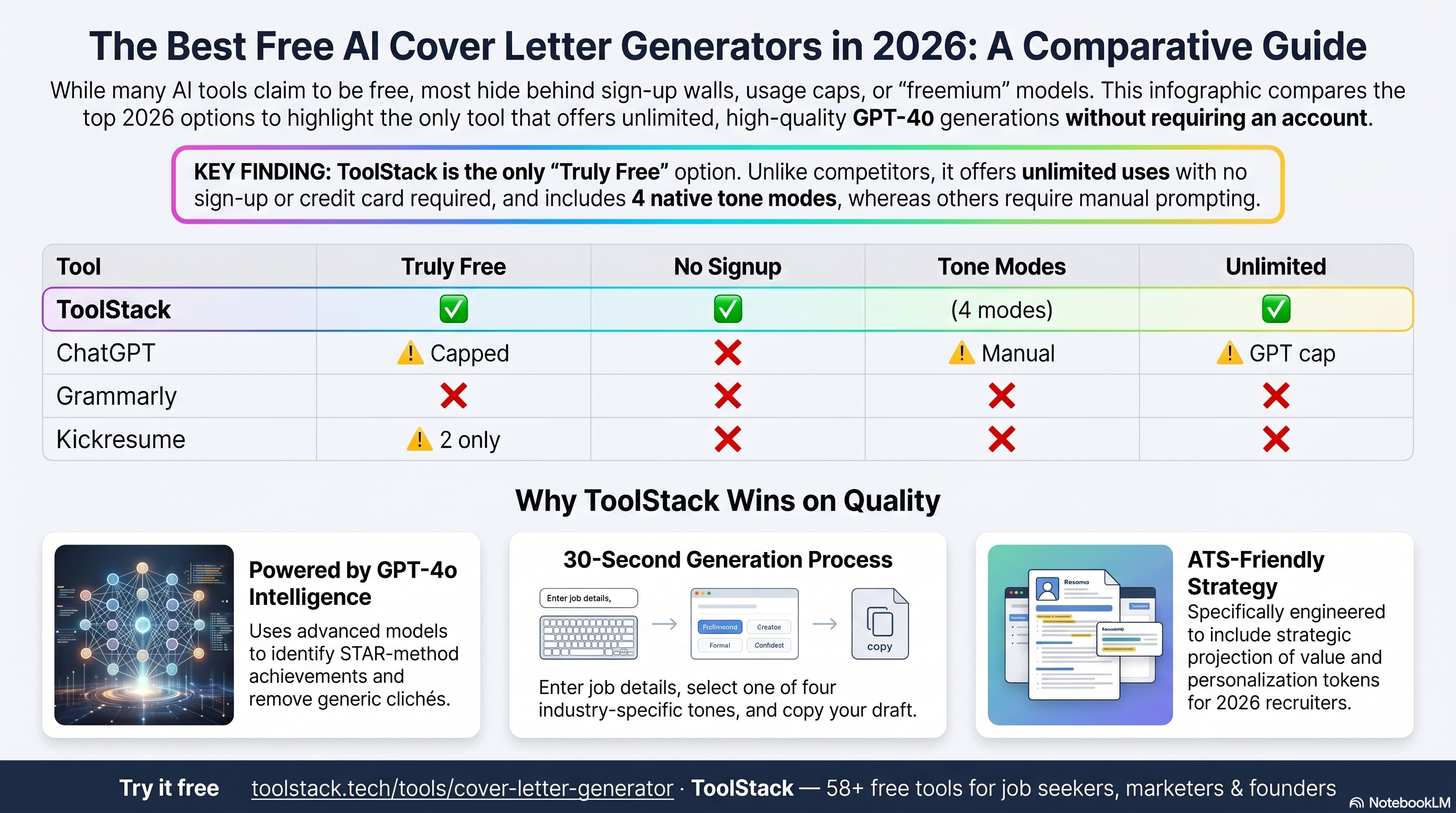
An AI cover letter generator writes a tailored, structured cover letter from your job title, company name, and background — in seconds. ToolStack's free cover letter generator is powered by GPT-4o, has 4 tone modes, requires no signup, and has no usage limits.
Executive Summary
- 1.72% of hiring managers expect a cover letter even when listed as optional — submitting one correctly is still one of the highest-leverage moves in a job application.
- 2.Most free AI cover letter tools are paywalled, capped at 2–3 uses, or require a full account and resume upload before you see any output.
- 3.ToolStack's free AI cover letter generator uses GPT-4o, offers 4 tone modes, and requires no signup — unlimited generations, nothing to install.
- 4.This guide covers which tone to use for each role type, how to edit the AI draft to make it genuinely stand out, and a full comparison of every major free tool.
🎙 Listen to this article
Make AI Cover Letters Sound Human — NotebookLM Audio Overview
Advertisement Space
Most people rewrite their cover letter from scratch for every single application. That's 45 minutes of work — on average — for a document that gets skimmed in 7 seconds. AI was supposed to fix this, and it has. But most AI cover letter tools come with a catch: a paywall, a 2-use cap, or a mandatory account signup before you see anything useful.
This guide covers how to use a free AI cover letter generator that actually works — plus exactly what to edit in the AI draft to make it genuinely stand out from the 249 other applications landing in the same inbox.
Cover Letter Statistics That Change How You Apply
Most job seekers underestimate how much a cover letter matters. Here's what the data actually shows.
72%
of hiring managers expect a cover letter even when listed as optional
— Resume.io Hiring Survey, 2025
45 min
average time a job seeker spends writing a cover letter from scratch
— LinkedIn Career Insights, 2024
26%
of hiring managers read cover letters before looking at the resume
— Jobvite Recruiter Nation Report, 2024
49%
of job seekers skip writing a cover letter when it's listed as optional
— Indeed Candidate Survey, 2025
77%
of hiring managers give preference to candidates who submitted a tailored cover letter
— Robert Half Hiring Trends, 2024
7 sec
average time a recruiter spends on an initial cover letter scan before deciding to read further
— Ladders Eye-Tracking Study, 2024
250
average number of applications received per corporate job posting — most with identical, template cover letters
— Glassdoor Employment Trends, 2024
61%
of hiring managers say a tailored cover letter meaningfully increases the chance of getting an interview
— CareerBuilder Hiring Manager Survey, 2025
3×
more likely to get an interview with a personalised cover letter vs a generic template
— TopResume Application Outcome Study, 2024
83%
of candidates who didn't get a callback had submitted either no cover letter or a generic one
— Workable Recruiter Insights, 2025
Why AI Cover Letter Generators Work (and Where They Fall Short)
The blank page problem is real. Most people aren't bad writers — they're paralysed by not knowing where to start. An AI cover letter generator removes that barrier entirely. You give it the job title, company name, and your relevant background. It produces a structured, 300–400 word letter that avoids the most common opener mistakes and hits the right format for the role type you select.
Where AI falls short is personalisation. The generator doesn't know about the company's recent product launch, the specific project you led that maps directly to their job requirements, or the genuine reason you actually want the role. Those details — when added by the applicant — are what separate letters that get callbacks from letters that get filtered.
ToolStack's AI cover letter generator — full walkthrough
What Career Experts Say About AI Cover Letters
"The cover letter is your first act of communication with a potential employer. It tells them how you think, how you write, and whether you understand what they actually need — before they've looked at your resume."
Liz Ryan
Founder, Human Workplace — Forbes Contributor
"AI has democratised the first draft. But the candidates who stand out are the ones who use AI to remove the blank-page problem, then layer in the specifics that only they can bring — a real project outcome, a genuine connection to the company's mission."
Amanda Augustine
Career Expert, TopResume
"Most cover letters are rejected in the first sentence. 'I am writing to apply for...' is the kiss of death. Your opening line needs to answer the employer's real question: why should I spend two more minutes on this person?"
Jenny Foss
Career Strategist & Author, JobJenny.com
Generate your cover letter now — free, no signup
Enter your job title, company, and background. Pick a tone. Get a full letter in seconds.
Open Free Cover Letter Generator →How ToolStack's AI Cover Letter Generator Works
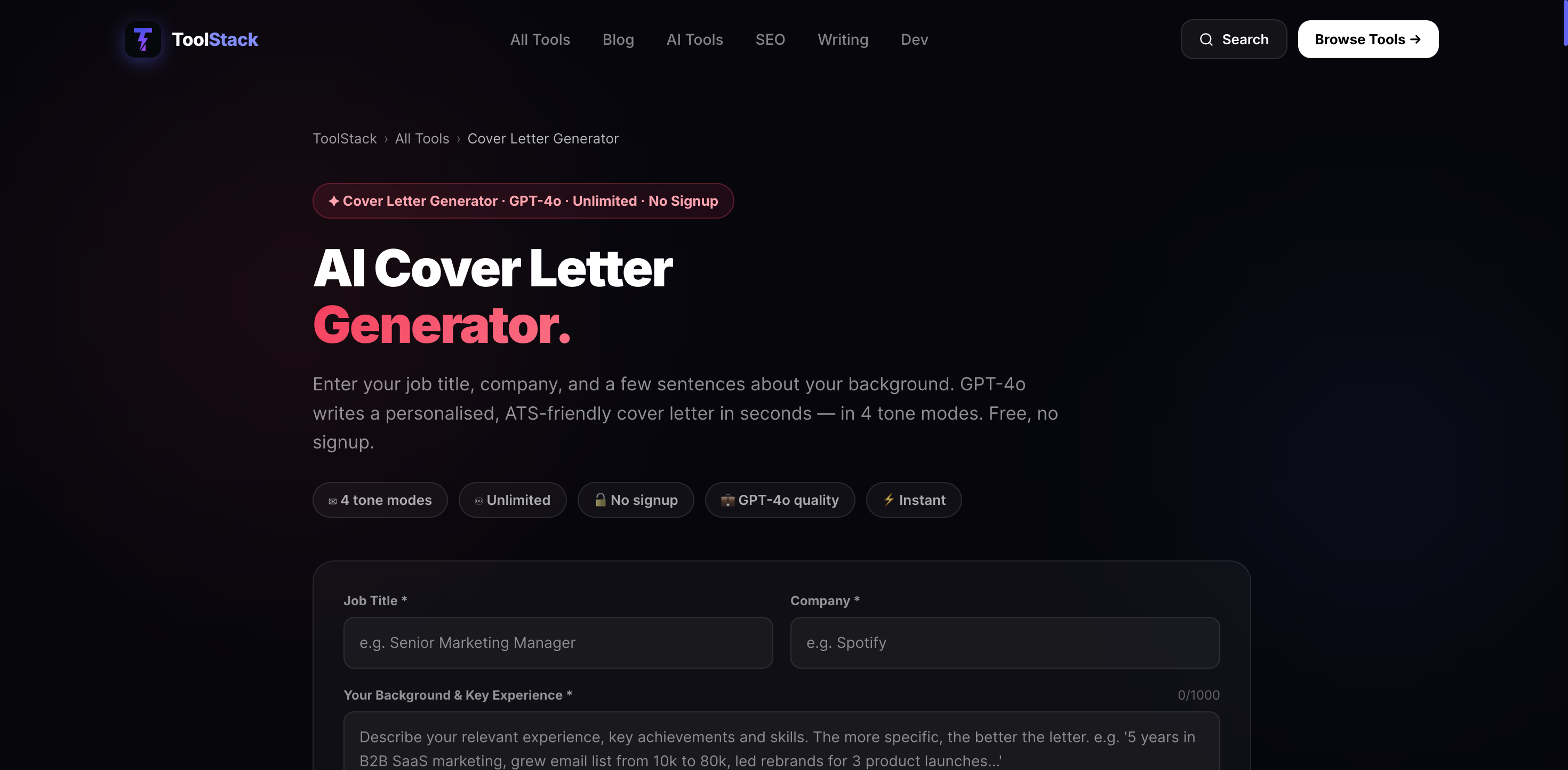
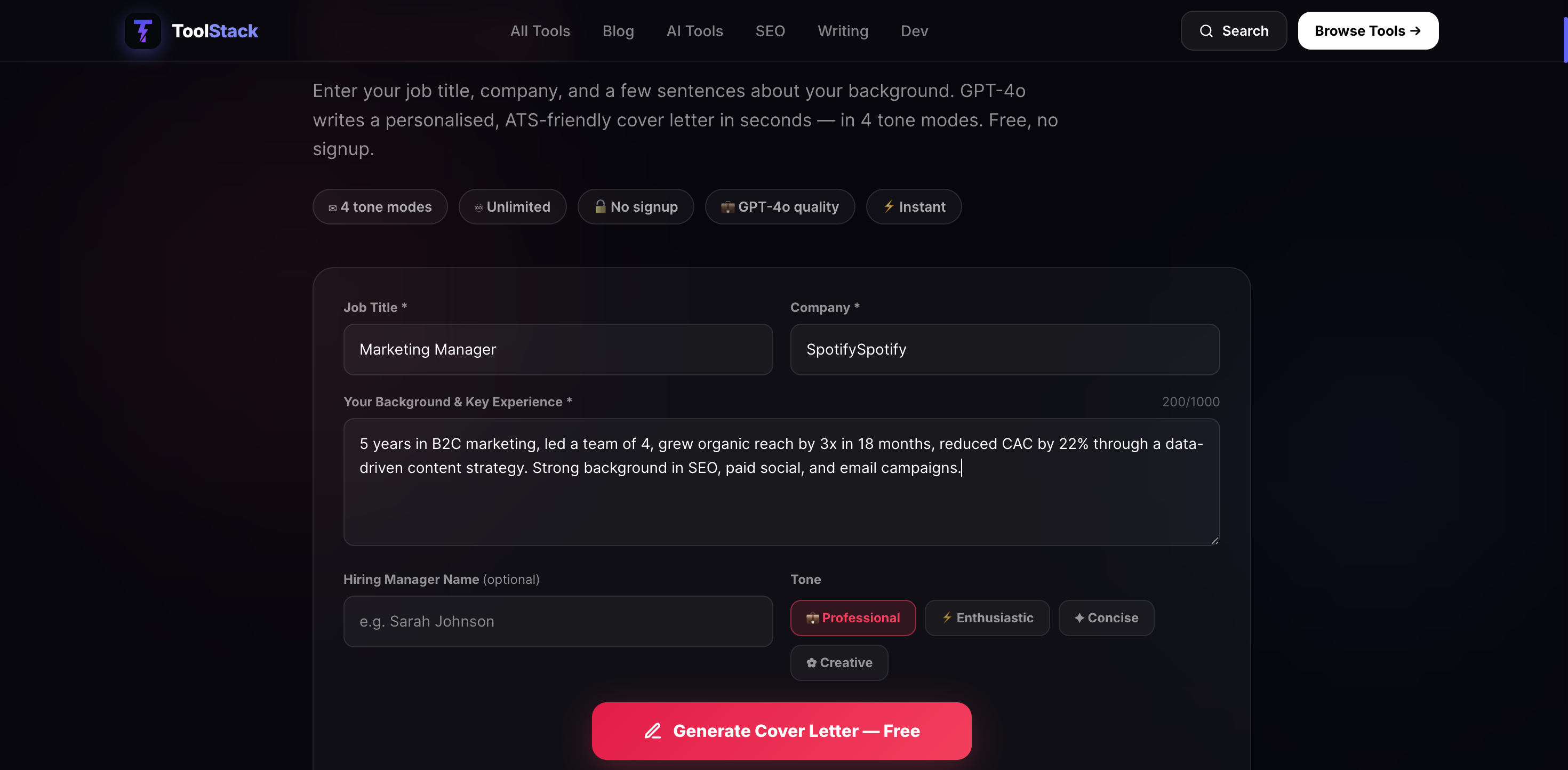
The generator at toolstack.tech/tools/cover-letter-generator takes three inputs: the job title you're applying for, the company name, and a short paragraph about your background. You optionally add the hiring manager's name — when included, it personalises the greeting and tends to perform better with applicant tracking systems.
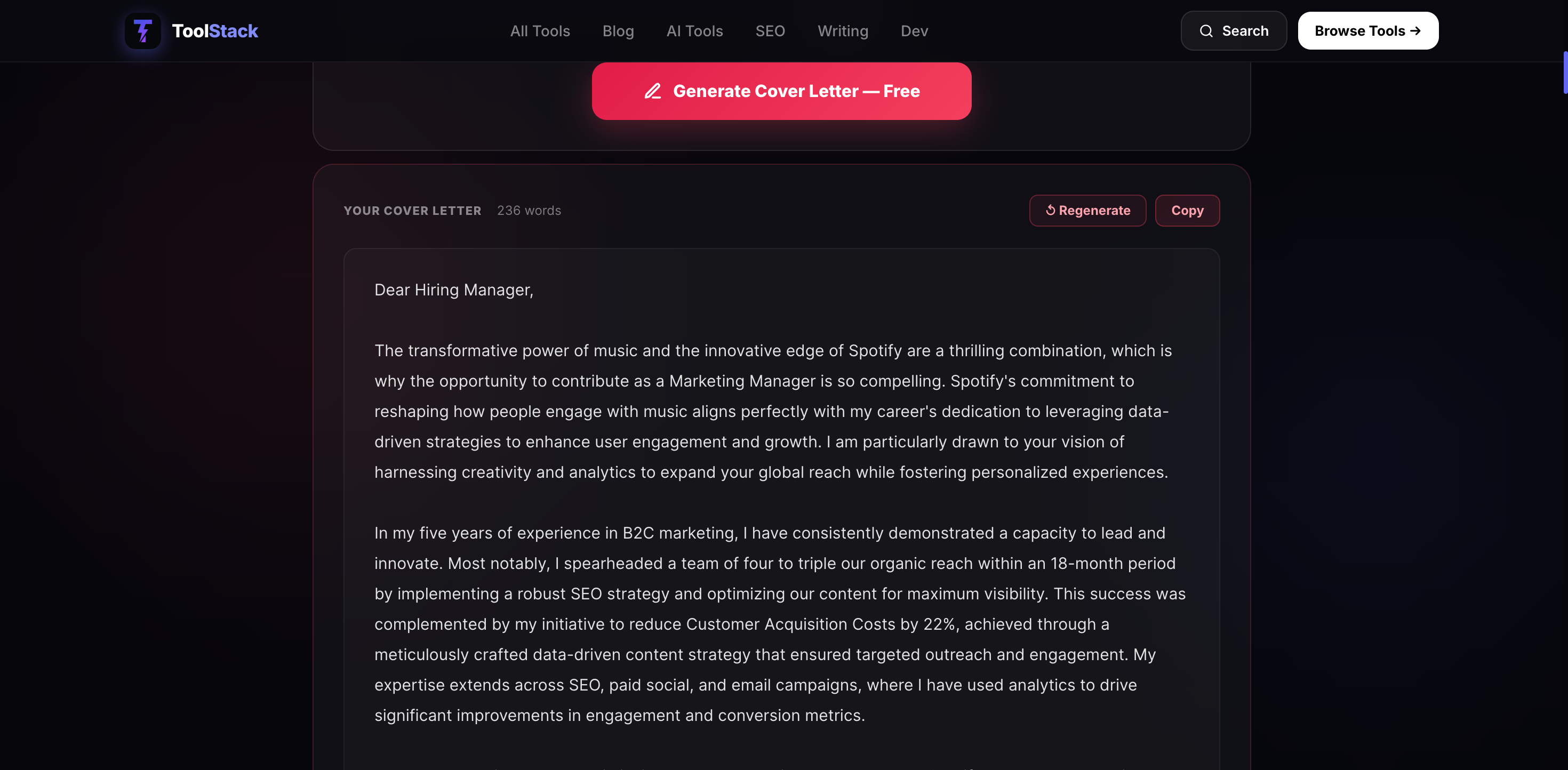
Once you hit generate, GPT-4o produces a full, structured cover letter — typically 300–400 words — formatted correctly for the role type, with an opener that doesn't start with "I am writing to apply for." The output is ready to copy, paste into your application, and personalise.
Which Tone Mode Should You Use?
The tone you choose shapes the entire letter — vocabulary, sentence length, energy level, and opening hook. Here's exactly when to use each one.
💼 Professional
Best for
Banking, law, consulting, senior corporate roles, government
Avoid if
Startups or companies that explicitly value personality and culture-fit
Example opener
"With eight years in financial services and a track record of..."
⚡ Enthusiastic
Best for
Startups, sales, creative agencies, early-career and entry-level roles
Avoid if
Highly regulated industries — finance, healthcare, law, government
Example opener
"I've followed your growth since Series A and I'd love to be part of..."
✦ Concise
Best for
Executive roles, C-suite, anywhere the posting says 'keep it brief'
Avoid if
Junior roles where you need to demonstrate depth and potential
Example opener
"Three years. 40% revenue growth. Ready to do it again."
✿ Creative
Best for
Design, content, marketing, media, advertising, brand roles
Avoid if
Finance, law, healthcare, or any role requiring strict professional formality
Example opener
"Most cover letters open with 'I am writing to apply.' Mine won't."
Free AI Cover Letter Tools Compared (2026)
Here's how the most widely used options actually compare on the features that matter when you're applying for jobs.
| Feature | ToolStack | Grammarly | Zety | Kickresume | Resume.io |
|---|---|---|---|---|---|
| Writes from scratch | ✅ Full letter | ❌ Edits only | ✅ Full letter | ⚠️ 2 free total | ✅ Full letter |
| Truly free, unlimited | ✅ Always free | ❌ Paywall | ❌ Paywall | ❌ 2 then stops | ❌ Paywall |
| No signup required | ✅ No account | ✅ No account | ❌ Account required | ❌ Account required | ❌ Account required |
| No resume upload needed | ✅ Not required | ✅ Not required | ❌ Full profile | ❌ Resume upload | ❌ Resume required |
| Tone modes built in | ✅ 4 modes | ❌ None | ❌ None | ❌ None | ❌ None |
| Powered by GPT-4o | ✅ GPT-4o | ❌ Own model | ❌ Own model | ❌ Own model | ❌ Own model |
| Copy in one click | ✅ | ✅ | ✅ | ✅ | ✅ |
| Price | Free — always | Freemium | £20/mo | Free / £8/mo | Free / £15/mo |
Pros & Cons of AI Cover Letter Generators
The 3 Things to Add After AI Generates Your Draft
The AI gives you the structure. These three additions make the letter genuinely competitive.
- → A specific company referenceFind one thing from their website, a recent press release, a product launch, or their About page that genuinely resonates. 'I noticed you recently launched X' or 'Your approach to Y stood out to me' signals you actually researched the company. This detail is the single biggest differentiator between candidates who get callbacks and those who don't.
- → A real achievement with a numberReplace 'I drove revenue growth' with 'I increased monthly recurring revenue by 34% in six months by rebuilding the onboarding flow.' Numbers do two things: they make the claim credible, and they force you to be specific about what you actually did. Every candidate says they drove growth — not everyone can say by how much.
- → Rewrite the first sentence in your own voiceThe AI draft gives you a strong structure but a predictable opening. Change the first sentence to something that sounds like you. It doesn't need to be clever — it just needs to not sound like a template. That's the sentence the hiring manager uses to decide whether to keep reading.
7-Day Cover Letter Action Plan: From First Draft to First Interview
Follow this plan if you're actively job hunting. One focused task per day keeps applications moving without the paralysis of starting from zero each time.
Generate your master cover letter. Pick your best recent role, use the Professional tone, and build the strongest possible version of your background. This becomes your base template to adapt for each application.
~20 min
Identify 5 target companies. For each, find one specific detail — a product, a value, a recent announcement — you can drop into a cover letter to make it feel personal.
~30 min
Apply to your top 2 target roles. Generate a cover letter for each using the right tone, add your company-specific detail and one achievement with a number, and rewrite the first sentence.
~45 min
Review the job descriptions you're targeting. Pull out the exact language they use for the role — skills, outcomes, values — and make sure those words appear naturally in your letter.
~20 min
Apply to 3 more roles. By now the process is faster — you're adapting a strong base, not starting from scratch. Focus your personalisation time on the top-priority applications.
~40 min
Follow up on Day 1 and Day 2 applications. A brief, professional email ('I wanted to check in on my application for X') keeps you visible without being pushy.
~15 min
Review what's working. Which applications got responses? What do those companies have in common with your strongest letters? Double down on that approach for the next round.
~20 min
The Future of AI Cover Letters: What's Coming
ATS (Applicant Tracking System) optimisation will become a first-class feature in cover letter generators — tools will begin auto-matching letter content to job description keywords in real time, ensuring letters pass automated screening before a human ever reads them.
Personalisation AI will advance to the point where generators can ingest a company's LinkedIn posts, press releases, and Glassdoor data to produce letters that reference genuinely specific company context — not just the company name.
Cover letters as a standalone document may begin to decline as hiring platforms move toward structured profiles. But the skill of communicating your value clearly and specifically — which AI cover letter generators teach implicitly — will remain the core of every successful application, whatever format it takes.
Stop rewriting your cover letter from scratch.
Free, no signup, GPT-4o powered. Enter your details, pick a tone, get a full letter in seconds. Part of ToolStack — 58+ free tools for job seekers, marketers, and founders.
Generate Your Cover Letter Free →Frequently Asked Questions
What is the best free AI cover letter generator?
ToolStack's free AI cover letter generator at toolstack.tech/tools/cover-letter-generator stands out for being completely free with unlimited generations, requiring no signup or resume upload, using GPT-4o, offering 4 tone modes, and producing letters that don't start with generic clichés. It's the most accessible and flexible free option available in 2026.
Is this cover letter generator really free with unlimited uses?
Yes — 100% free, no signup, and unlimited generations. Most competitors cap free users at 3 per day (InterviewPal), 2 total (Kickresume) or lock downloads behind a subscription (Zety). ToolStack's cover letter generator uses GPT-4o and has no usage limits.
How is this different from Grammarly, Zety or Kickresume?
Grammarly helps edit letters but won't write them from scratch. Zety requires creating a full resume profile and locks downloads behind a paywall. Kickresume gives you 2 free letters total. ToolStack's generator requires no account, no resume upload, no subscription — just your job details and you get a personalised letter in seconds.
What information do I need to generate a cover letter?
Three things: the job title you're applying for, the company name, and a brief description of your relevant background — your experience, key achievements and skills. The more specific your background description, the more personalised and compelling the letter will be. Adding the hiring manager's name is optional but improves the greeting.
Which tone mode should I use?
Professional is safe for most corporate roles, banking, law, consulting and senior positions. Enthusiastic works well for startups, creative agencies, sales roles and roles where energy and passion matter. Concise is ideal when a role explicitly asks for brief applications or you're applying for senior executive roles. Creative suits design, marketing, content and media roles where standing out matters.
Should I edit the AI-generated cover letter?
Yes — always. The AI creates a strong, structured first draft based on the information you provide. You should personalise it further with specific company knowledge (a recent product launch, a value you admire), exact job requirements from the posting, and your own voice. A cover letter that reads as genuinely personal always outperforms a template, however good.
How do I make my cover letter stand out?
Three things make the biggest difference: a strong first sentence (never 'I am writing to apply for...'), specific achievements with numbers where possible (e.g. 'increased sales by 34%' rather than 'drove revenue'), and a tailored closing that shows you've researched the company. Use the generated letter as a base and layer in these specifics yourself.