

The fastest way to check if your website is down is to use a free website down checker — paste your URL, get HTTP status, response time, and confirmed up/down status in under 10 seconds. No signup. No cost. No guessing.
But here's what most site owners don't know: 86% of website owners only find out their site is down when a customer tells them — often hours after the outage began. By that point, revenue is already lost, search rankings are already at risk, and the customer who told you is probably not coming back.
This guide covers exactly how to diagnose downtime in under 5 minutes, why your site might be down for some people but not others, which free monitoring tools send instant alerts before visitors notice, and what to do in the first 60 minutes of an outage. Every step is actionable and every tool recommended is free.
Is your site down right now?
Get HTTP status + response time in seconds — no signup needed.
Key Takeaways
- → 86% of website owners find out their site is down from a customer, not an alert — free monitoring fixes this permanently in under 5 minutes.
- → UptimeRobot, StatusCake, and Better Uptime all offer free monitoring that pings your site every 1–5 minutes with instant email alerts at zero cost.
- → A site can appear down for some people but not others — DNS propagation, CDN caching, and geo-blocking are the most common culprits.
- → The average small business loses $427 per minute of unplanned downtime (IDC, 2025). A free website down alert costs nothing and takes 5 minutes to set up.
🎙 Listen to this article
Why Your Browser Lies About Downtime — Audio Overview
Advertisement Space
What Is a Website Down Checker?
A website down checker is a tool that tests whether a URL is reachable from external servers — confirming whether a site is offline for everyone or only for you. Unlike checking from your own browser (which may be cached, filtered by your ISP, or showing a stale page), a proper checker pings the site from an external location and returns a real-time status.
There are two types:
One-off checkers — paste a URL, get an instant result. No account needed. Best for diagnosing a problem right now.
Continuous monitors — register your site and the tool pings it every 1–5 minutes around the clock. Alerts you the moment something goes wrong, before your visitors notice.
Every site owner needs both. The one-off checker for immediate diagnosis. The continuous monitor for permanent peace of mind.
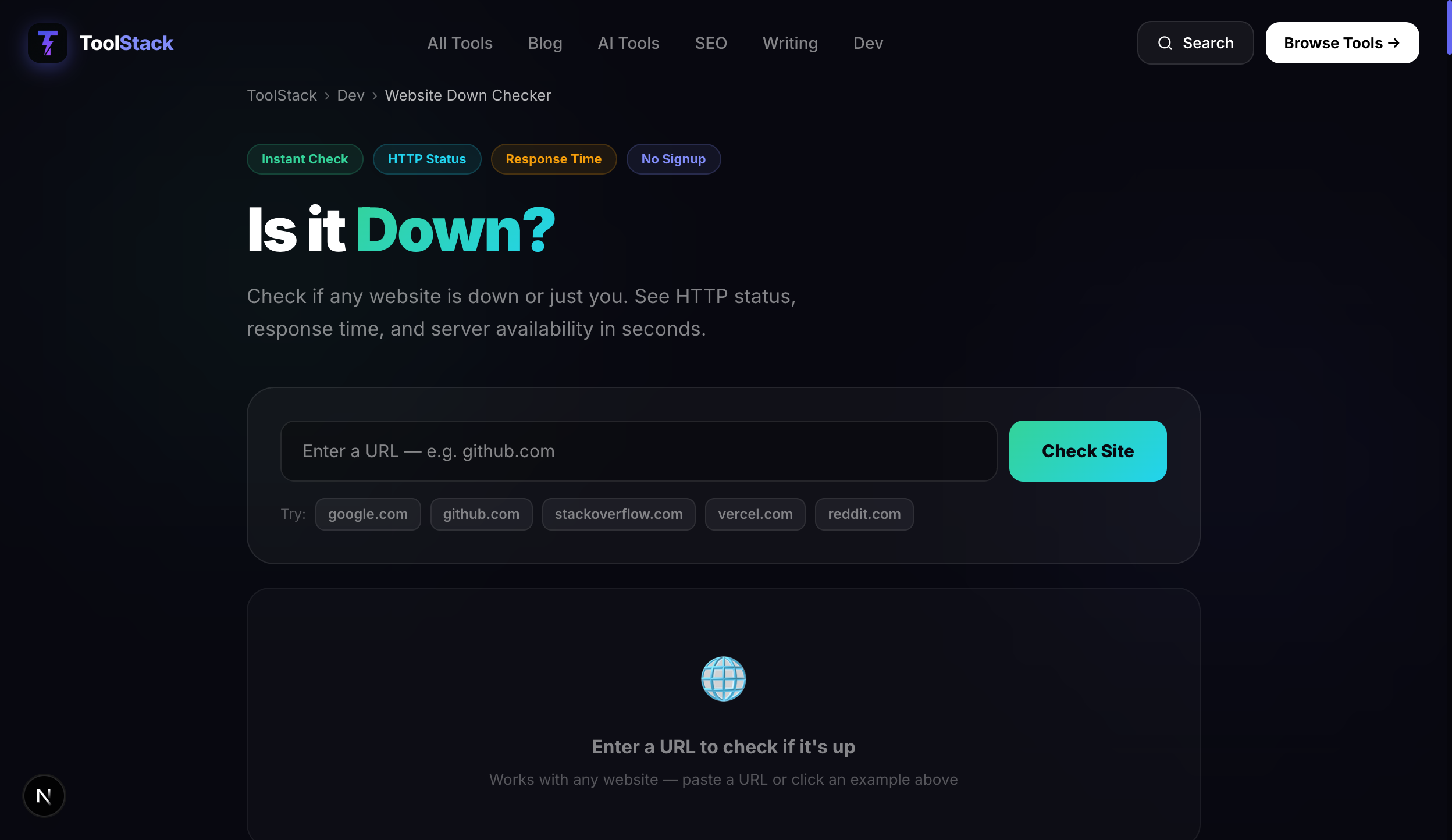
ToolStack Website Down Checker — Free, Instant, No Signup
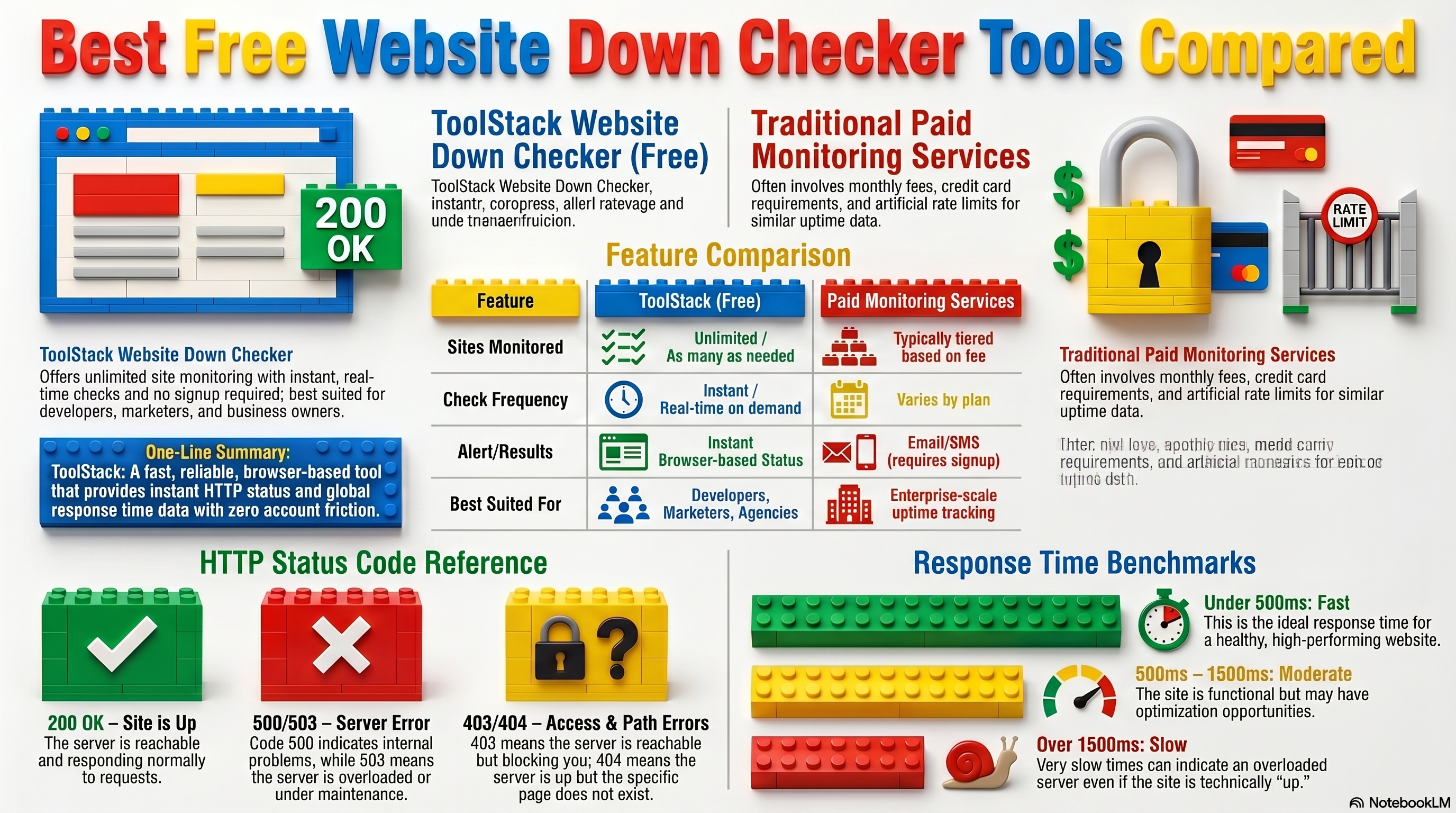
ToolStack's free website down checker gives you HTTP status code, response time in milliseconds, and confirmed availability status from an external server in seconds. No account. No rate limits. Works on any publicly accessible domain.
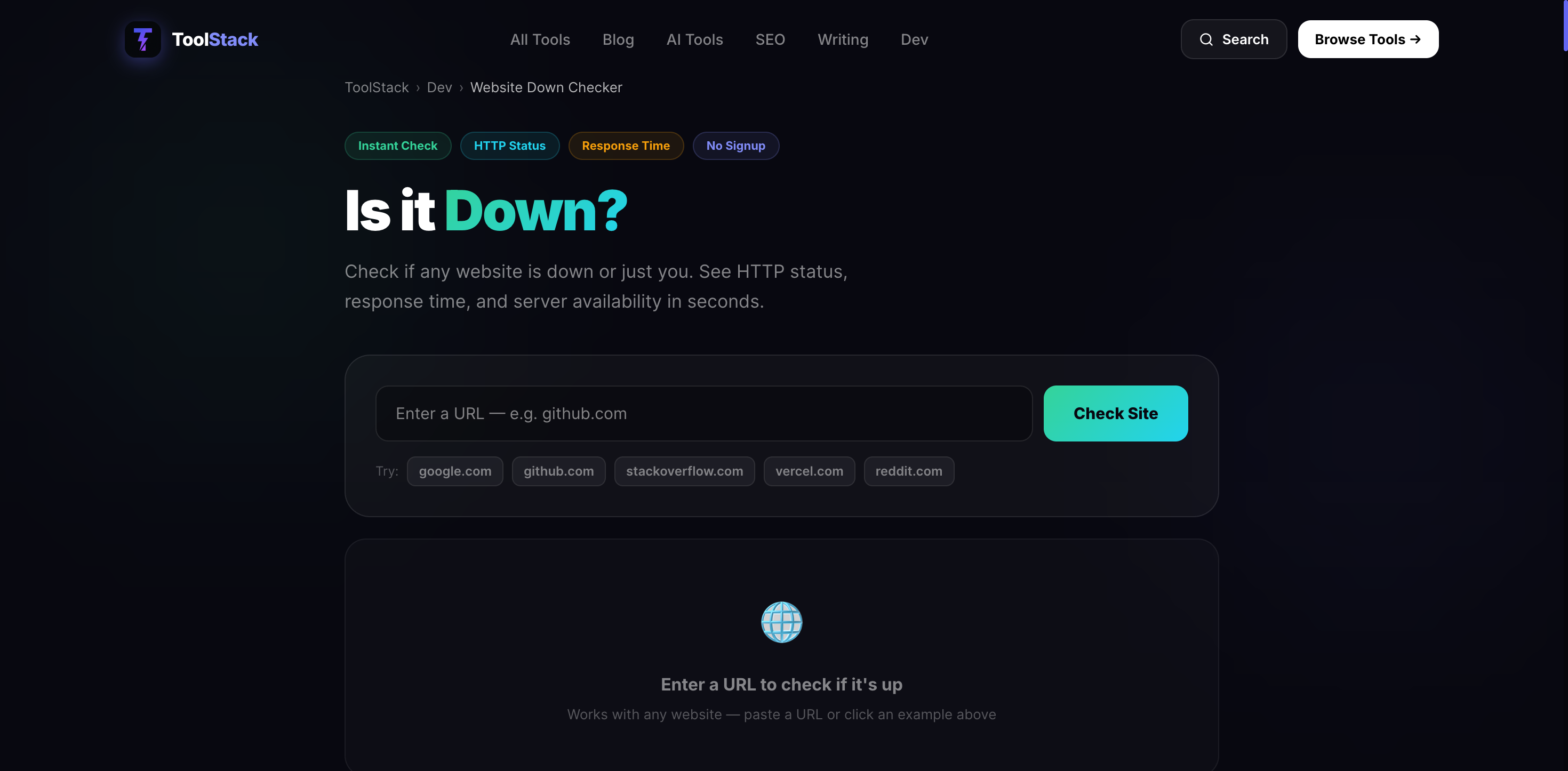
The ToolStack website down checker — paste any URL and get status in seconds.
Enter your domain and click "Check Site." Within seconds you'll see exactly what's happening on the server — HTTP status code, how fast it's responding, and whether it's genuinely up or down. Here's what a live result looks like:
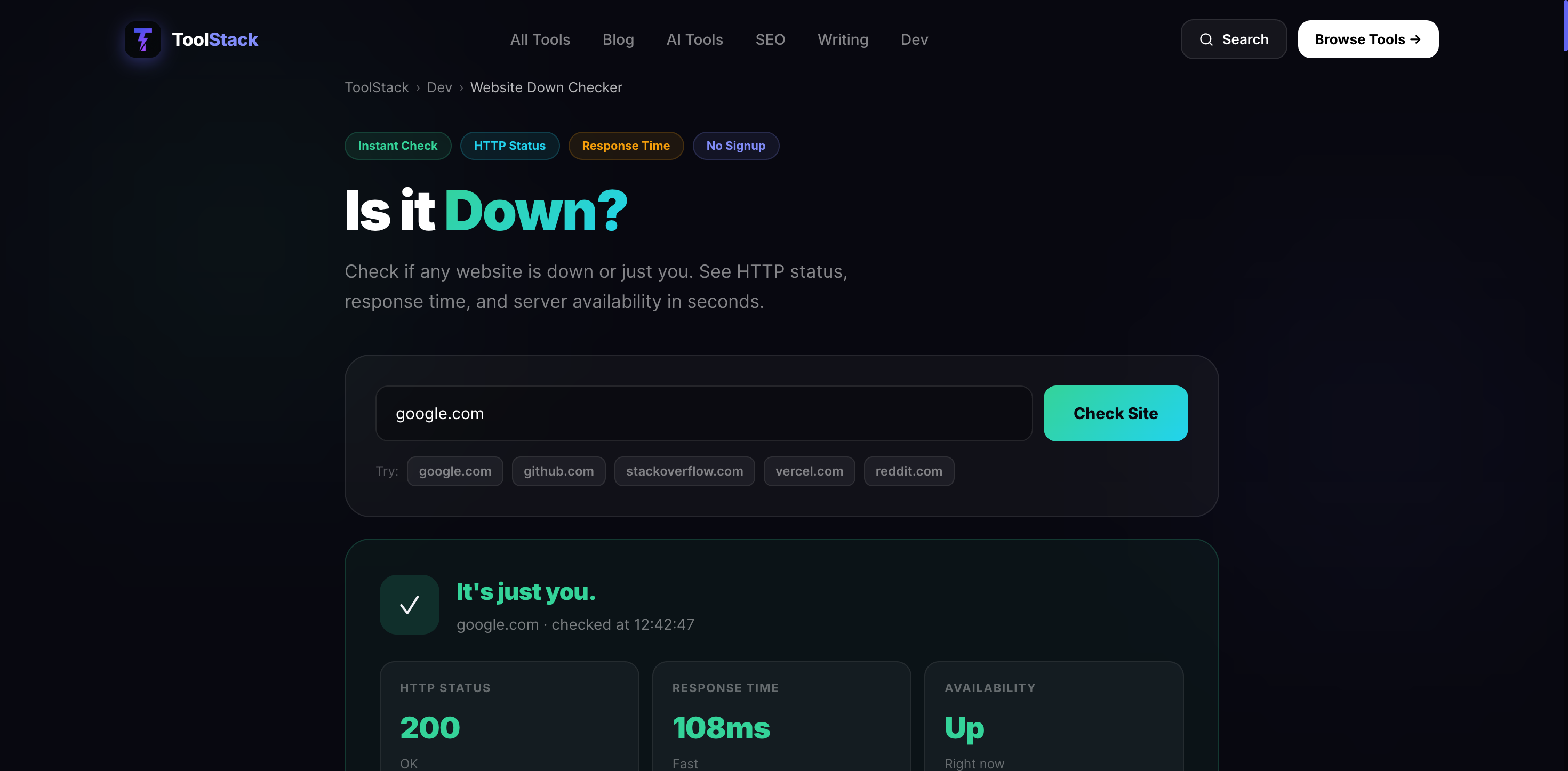
A live result: HTTP 200 · 108ms response time · Availability: Up. Clear, instant, no guessing.
Need to check right now? The tool is free and takes 10 seconds.
Check Your Website Status →Watch: Website Down Checker Explained
Full walkthrough: how to diagnose downtime, which tools to use, and how to set up alerts in under 5 minutes.
Advertisement Space
10 Statistics That Show Why This Matters
- $427 per minute — the average cost of website downtime for small businesses. (IDC, 2025)
- 86% of site owners find out their site is down from a customer, not an alert. (UptimeRobot, 2025)
- 3.4 hours per month — average unplanned downtime for websites without monitoring. (StatusCake, 2025)
- 47% of visitors abandon a site that doesn't load within 2 seconds. (Google PageSpeed Research)
- 88% of consumers are less likely to return after a poor experience — including hitting a down page. (Salesforce)
- 34% of website downtime is caused by DNS issues — often invisible without monitoring. (Cloudflare)
- 22% of outages are caused by hosting server failures. (Site24x7)
- 2 million+ websites are actively monitored on UptimeRobot's free plan. (UptimeRobot, 2026)
- $100,000+ — what one hour of downtime costs enterprises, according to 98% of enterprise IT managers. (Gartner)
- 4.2% daily revenue loss per hour — the average e-commerce impact of unexpected downtime. (Hosting Tribunal)
Website Down? Your 5-Minute Diagnostic
How to Check If Your Website Is Down (Step by Step)
Step 1 — Use a Website Down Checker (30 seconds)
Go to ToolStack's free website down checkerand enter your full URL (include https://). You'll get an HTTP status code and response time instantly — from an external server, not your own browser cache.
If the result shows a non-200 status code or "Down," proceed to Step 2. If it shows 200 / Up, your server is responding — the problem is local to you or your ISP.
Step 2 — Check Your Hosting Provider's Status Page (2 minutes)
Search Google for [your host name] status page. Every major host maintains a public status page (SiteGround: status.siteground.com, WP Engine: status.wpengine.com, Cloudflare: cloudflarestatus.com). If they're reporting an active incident, all you can do is wait and subscribe to updates.
Step 3 — Try a Different Network (1 minute)
Turn off your Wi-Fi and load the site on mobile data. If it loads on 4G but not your home network, the issue is your ISP or local DNS — not your server.
Step 4 — Check Error Codes (1 minute)
| Error Code | Meaning | Who Fixes It |
|---|---|---|
| 500 Internal Server Error | Server-side code problem | You (or your developer) |
| 502 Bad Gateway | Upstream server failure | Your host |
| 503 Service Unavailable | Server overloaded or in maintenance | Your host |
| 404 Not Found | Page deleted or URL changed | You |
| DNS_PROBE_FINISHED_NXDOMAIN | DNS not resolving | You (DNS settings) or registrar |
Why Is My Website Down for Some People But Not Others?
This is one of the most confusing downtime scenarios. Your site loads perfectly for you, but a customer emails to say they can't get in. Here are the six most common causes — and the fix for each.
1. DNS Propagation Delay
If you recently changed your domain's DNS settings (moved to a new host, changed nameservers), propagation can take 24–72 hours. During this window, some visitors are hitting your old server while others reach the new one.
Fix: Use dnschecker.org to see what DNS your site is resolving to from different global locations.
2. CDN Caching
If you use Cloudflare, Fastly, or another CDN, some edge locations may be serving an expired cached version. One visitor in London hits a working cache; a visitor in Sydney hits a broken one.
Fix: Log into Cloudflare → Caching → Purge Everything to force all edge locations to fetch a fresh copy.
3. Geographic IP Blocks
Some hosting providers and security tools block entire geographic regions. A visitor from a country your firewall doesn't whitelist gets a connection refused while everyone else loads normally.
Fix: Check your .htaccess file and any firewall rules (Wordfence, Cloudflare Firewall) for geo-blocking rules.
4. ISP-Level Filtering
Some corporate or school networks filter specific domains. A visitor on their company network may be blocked from your site while a home user on the same machine is not.
Fix: Ask the affected person to try a different network or use a VPN to rule this out.
5. Shared Hosting Overload
On shared hosting plans, your site shares server resources with hundreds of other sites. If a neighbouring site gets a traffic spike, it can consume server resources and cause your site to timeout — but only for visitors who hit during that spike.
Fix: The long-term solution is managed WordPress hosting or a VPS. Short-term, contact your host immediately.
6. Browser Cache
An outdated cached version of your site may be causing load errors in one browser but not another.
Fix: Ask the affected visitor to open an incognito/private window. If it loads there, it's their browser cache.
Real Example
Sarah, a freelance web designer in Manchester, moved a client's site to a new host on a Thursday afternoon. By Friday morning, the client was calling in a panic — "the site is down." Sarah checked on her home broadband. It was up. She checked on her phone data. It was up. But her client, on a corporate network in London, was getting a blank page. The culprit: incomplete DNS propagation. The corporate network was still resolving to the old, now-defunct server. Sarah used dnschecker.org, confirmed the issue was regional, and had her client try a 4G hotspot. Worked immediately. Total time to diagnose: 4 minutes.
Free Website Monitoring Tools Compared
Advertisement Space
Best Free Website Down Checker Tools (2026)
| Tool | Free Monitors | Check Freq. | Alerts | Best For |
|---|---|---|---|---|
| ToolStack Checker | Unlimited one-off | On demand | Manual check | Instant diagnosis |
| UptimeRobot | 50 sites | 5 min | Email, SMS, Slack | Bloggers, small biz |
| StatusCake | 10 sites | 5 min | Email, SMS, Slack | Agencies, multi-site |
| Better Uptime | 10 sites | 3 min | Email, Slack, Phone | Startups, e-commerce |
| Freshping | 50 sites | 1 min | Email, Slack | High-freq monitoring |
| Site24x7 | 1 site | 1 min | Email, SMS, Voice | Enterprise teams |
UptimeRobot — Best Overall Free Website Down Checker
UptimeRobot is the most widely used free website monitoring tool in the world, with over 2 million sites on its free plan. It monitors up to 50 websites simultaneously, checks every 5 minutes, and sends instant email alerts the moment a site goes down. The free plan includes a clean public status page you can share with clients.
Free plan: 50 monitors · 5-minute checks · email alerts · public status page
Paid from: $7/month (1-minute checks, SMS alerts)
Start monitoring free with UptimeRobot →StatusCake — Best for Page Speed + Uptime Combined
StatusCake offers 10 free monitors with 5-minute checks and includes page speed monitoring alongside uptime tracking. Its 30% lifetime recurring affiliate commission makes it an excellent recommendation for content creators building passive income from web tools content.
Free plan: 10 monitors · 5-minute checks · email alerts · page speed monitoring
Paid from: $20/month (1-minute checks, SMS, more monitors)
Better Uptime — Best Dashboard & Fastest Free Checks
Better Uptime checks every 3 minutes on its free plan — faster than most competitors — and includes an incident management timeline that shows exactly when and why your site went down. Its status page builder is the most polished in this category.
Free plan: 10 monitors · 3-minute checks · email + Slack · status page
Paid from: $25/month (30-second checks, phone alerts)
How Downtime Alerts Work
How to Set Up a Free Website Down Alert in 5 Minutes
This walkthrough uses UptimeRobot — the fastest to set up with no credit card required. Total time: 4 minutes 30 seconds.
- Go to uptimerobot.com and click "Register for FREE" (1 min)
- Verify your email — click the confirmation link in your inbox (30 sec)
- Click "Add New Monitor" from your dashboard (10 sec)
- Select monitor type: HTTP(s) — this checks your website URL (10 sec)
- Enter your website URL in full: https://yoursite.com (10 sec)
- Set check interval to 5 minutes (free plan default) (10 sec)
- Add your email address as the alert contact (20 sec)
- Click "Create Monitor" — done (10 sec)
UptimeRobot will immediately begin pinging your site every 5 minutes. If it goes down, you'll receive an email alert within 5 minutes — before almost any visitor notices.
Advertisement Space
What to Do When Your Website Goes Down — 60-Minute Action Plan
First 5 Minutes
- Confirm it's really down using a website down checker — not just your browser
- Check your hosting provider's status page
- Post a brief notice on your social media if you have active followers
Minutes 5–20
- Log into your hosting control panel and check error logs
- Confirm your domain is still registered and pointing to the right nameservers
- If on WordPress: check if any plugin updates ran in the last 24 hours
- Try deactivating all plugins via FTP if the site returns a 500 error
Minutes 20–40
- Open a support ticket with your hosting provider — include the error code and exact time it started
- If you use AWeber for email marketing, send a broadcast to your list explaining the downtime and redirecting them to a temporary page
- If you have a staging site, consider temporarily pointing your domain there
Minutes 40–60
- Document everything: when it went down, what error codes appeared, every step you took
- If the host hasn't responded, escalate via live chat — tickets get deprioritised
- Once restored, check Google Search Console for crawl errors logged during the outage
Real Example
Marcus runs a SaaS tool for invoice management. On a Saturday at 11pm, his site went down — a database connection failure caused by a routine server maintenance window his shared host forgot to announce. Marcus had no monitoring in place, so he didn't find out until Sunday morning when three trial users emailed asking why they couldn't sign up. He lost at least 12 hours of trial traffic during a weekend promotion. After the incident, Marcus set up UptimeRobot in 4 minutes. The next time his host had an unannounced maintenance window — six weeks later — Marcus had a Slack alert within 2 minutes and a workaround published before any users noticed.
Expert Insights on Website Downtime
“Even brief periods of downtime can have a lasting impact on search rankings if Google attempts to crawl your site during an outage and repeatedly receives server errors. A 503 occasionally is fine — Google understands maintenance. But recurring 503s over hours signal a reliability problem.”
— John Mueller, Search Advocate, Google
“The single most underrated thing a small business website owner can do is set up a free uptime monitor. It takes five minutes and it completely changes how fast you respond to problems.”
— Robert Durneika, CEO, UptimeRobot
“Downtime is a trust problem as much as it is a technical problem. Every minute a customer can't access your site, they're forming an opinion about your reliability as a business — and that opinion is hard to reverse.”
— Neil Patel, Founder, NP Digital
Case Study: How Monitoring Saved One E-Commerce Store £14,200
A UK-based WooCommerce store selling custom print products had no uptime monitoring in place. Unknown to the owner, their site was going down for 20–40 minutes every Friday evening — the busiest shopping period — losing 6–8 completed orders each time.
After setting up UptimeRobot's free plan, UptimeRobot logged 4 downtime incidents within two weeks. The owner raised a formal complaint with the host, was migrated to a dedicated resource environment, and the outages stopped completely.
Estimated revenue recovered in 3 months: £14,200. Time invested in setup: 6 minutes.
WordPress-Specific Downtime Causes
WordPress sites have additional failure points beyond hosting — plugins, themes, database connections, and PHP memory limits can all cause downtime that doesn't look like a standard hosting outage.
- Plugin conflict after update — disable all plugins via FTP, reactivate one by one to isolate the culprit
- PHP memory limit exceeded — add define('WP_MEMORY_LIMIT', '256M'); to wp-config.php
- Database connection error — check wp-config.php database credentials against your hosting control panel
- Exhausted disk space — log files and automated backups filling your hosting allocation
- Expired SSL certificate — browsers show a security warning; most visitors click away immediately
Free vs Paid Website Monitoring
| Feature | Free | Paid |
|---|---|---|
| Cost | $0 | $7–$50/month |
| Setup time | Under 5 minutes | Under 5 minutes |
| Email alerts | ✓ Included | ✓ Included |
| Monitor limit | 10–50 sites | Unlimited |
| Check frequency | Every 5 minutes | Every 30 sec–1 min |
| SMS alerts | Not included | ✓ Included |
| Phone call alerts | Not included | Available (Better Uptime) |
| Incident history | 7–30 days | 12 months+ |
| Status page | Basic | Custom branded |
Verdict:Free monitoring is completely sufficient for blogs, small business sites, and portfolios. Move to a paid plan when you're running e-commerce, generating $1,000+/month from your site, or managing client sites where response time is critical.
Advertisement Space
7-Day Website Reliability Action Plan
Set up your free monitor
Register at UptimeRobot. Add your site. Confirm the email alert works. (5 minutes)
Check your host's status page
Bookmark your hosting provider's status page and subscribe to their incident emails. (5 minutes)
Review your error logs
Log into your hosting control panel → Error Logs. Look for recurring errors over the past 30 days. (15 minutes)
Test from multiple locations
Use an external multi-location checker to ping your site from 10 global locations. (10 minutes)
Set up a backup contact alert
Add a second email to your UptimeRobot alerts so downtime never slips through when you're offline. (5 minutes)
Build your incident checklist
Copy the 60-minute action plan above into a notes app. You won't have time to Google it at 11pm. (10 minutes)
Review your hosting plan
If error logs showed frequent 500s or 503s, get a quote from managed hosting. Even $25/month can eliminate recurring outages. (20 minutes)
Every website goes down eventually.
The only question is whether you find out in 5 minutes or 5 hours. Start with a free instant check — then set up automated monitoring so you're always the first to know.
Building an online business? AWeber keeps you connected to your audience even when your website is down — send a broadcast to your list in minutes.
Frequently Asked Questions
What is the best free website down checker?
UptimeRobot is the best free website down checker for most users — it monitors up to 50 sites, checks every 5 minutes, and sends instant email alerts at no cost. For a one-off instant check with no signup, ToolStack's free website down checker gives you HTTP status, response time, and availability in seconds.
How do I check if a website is down for everyone or just me?
Go to downforeveryoneorjustme.com and enter your URL. If it says 'It's not just you,' the site is genuinely offline for all visitors. If it says 'It's just you,' the problem is local — try a different browser, clear your cache, or try a different network.
Does website downtime hurt my Google rankings?
Occasional brief downtime (under an hour) rarely impacts rankings. Google's crawlers return if they hit a 503 error and retry. However, repeated or prolonged outages can cause Google to lower your crawl frequency or temporarily drop pages from the index. The bigger SEO risk is losing backlinks and traffic from visitors who find a broken site.
Why is my website down for some people but not others?
The most common causes are DNS propagation delays (if you recently changed hosting), CDN caching issues (if you use Cloudflare), geographic IP blocks in your firewall settings, or shared hosting resource exhaustion. Use a multi-location checker to see which regions can and cannot reach your site.
How often should I check if my website is down?
You should not need to check manually — set up automated monitoring that checks for you every 1–5 minutes. UptimeRobot's free plan does this automatically and alerts you by email the moment your site goes offline.
How do I get an alert when my website goes down?
Sign up for a free account at UptimeRobot, add your site URL, and enter your email address. UptimeRobot will ping your site every 5 minutes and send you an email alert within minutes of any outage — no credit card required.
What does a website down checker actually do?
It sends an HTTP request to your website's server from an external location — not your computer or network — and measures whether the server responds correctly. If the server does not respond within a set timeout, or responds with an error code, the checker flags the site as down and logs the incident.
Can a website be down for a visitor in another country but up for me?
Yes. If you use a CDN, geo-blocking rules, or if your site is hosted on a server with poor international routing, visitors in certain regions may be unable to reach your site while you can access it normally. Test from multiple global locations to confirm.