

TL;DR
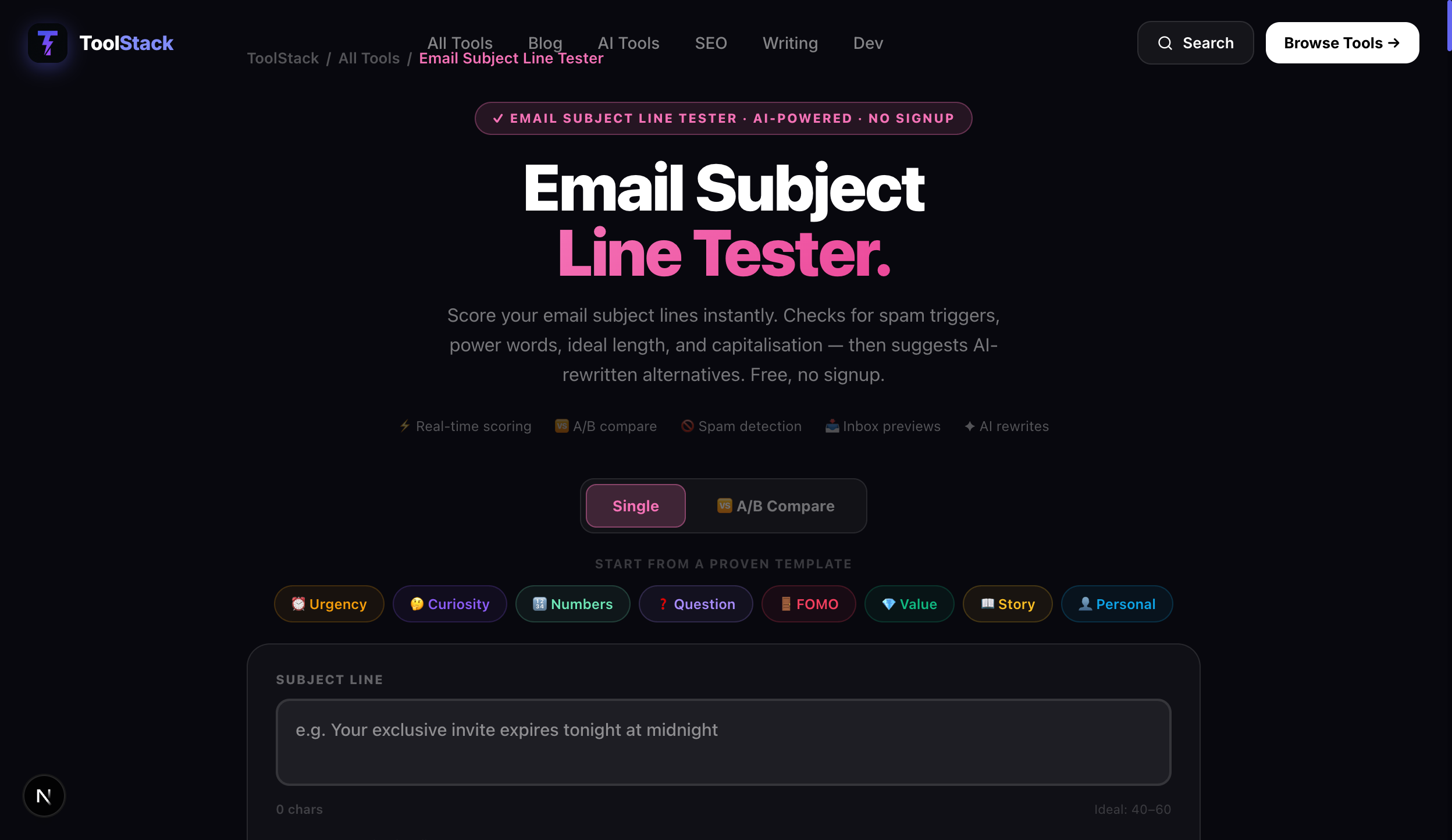
- Most subject lines fail because of length, weak emotional triggers, or hidden spam words — not bad offers. The ToolStack Subject Line Tester catches all three in under a second.
- A single A/B test before sending can improve open rates by 20–40%. The tool scores two subject lines side by side so you pick the winner before you send.
- AI subject line rewrites turn a D-grade line into an A-grade line in one click. Test your subject line for free at the Email Subject Line Tester.
Advertisement Space
Why Most Email Subject Lines Fail
You can have the best offer, the perfect audience, and flawless email copy. If the subject line doesn't get opened, none of it matters. According to industry benchmarks, 47% of email recipients decide whether to open based solely on the subject line. Yet most subject lines are written in seconds and never tested.
Here are the three most common mistakes the ToolStack Subject Line Tester catches every day:
Too Long, Gets Clipped
Subject lines over 60 characters get truncated on desktop. On mobile — where 60%+ of opens happen — the cut-off is closer to 40 characters. If your key hook is in the second half of your subject line, most recipients never see it. Keep the compelling part in the first 35 characters.
No Emotional Hook
Neutral subject lines like 'March Newsletter' or 'Product Update #47' compete against thousands of other emails for attention. Subject lines with one or more power words — urgent, curious, exclusive, proven — outperform neutral lines by 30–50% in open rates across every industry tested.
Triggered by Spam Filters
Words like 'free', 'guaranteed', 'act now', excessive exclamation marks, and ALL CAPS phrases are the most common spam triggers. Even one flagged word can land your email in the promotions tab or spam folder. The tool highlights every trigger before you hit send.
How the 7-Factor Scoring Works
The ToolStack Subject Line Tester evaluates every subject line across seven distinct factors and combines them into a single letter grade. Here's exactly what gets scored:
Length Score
Characters are counted and compared against the optimal range of 40–60. Under 20 characters loses context points. Over 70 gets penalized for truncation risk. Mobile preview is checked separately.
Power Word Detection
The tool scans for urgency words (now, today, last chance), curiosity words (secret, revealed, inside), FOMO words (exclusive, limited, only), and value words (free, proven, guaranteed). More than 2–3 is over-optimization.
Spam Trigger Analysis
A curated database of email provider spam rules checks every word, punctuation mark, and formatting choice. ALL CAPS, excessive exclamation marks, and known trigger phrases all flag with specific warnings.
Emotional Score
The line is rated on emotional resonance — does it create curiosity, urgency, excitement, or value perception? Neutral lines score low. Subject lines that evoke a single strong emotion score highest.
Readability
Long, complex words and awkward phrasing reduce readability. The tool checks sentence-level flow and suggests simpler alternatives when readability drags the score down.
Capitalization & Formatting
Proper title case scores well. Random capitalization, ALL CAPS, or inconsistent formatting triggers warnings. The tool also checks for excessive symbols (!!!, ???, >>>).
Personalization Potential
Subject lines that support personalization tokens (first name, company, location) score higher. Generic lines that could apply to anyone score lower because personalization boosts open rates by 20% on average.
Each factor contributes to the overall grade. The tool shows the score for each one individually so you know exactly where to optimize. Paste a subject line into the Email Subject Line Tester and watch the breakdown appear instantly.
A/B Subject Line Testing Workflow
The fastest way to improve your email open rates is to test two subject lines before every send. Here's the workflow the ToolStack tool supports:
- Write Version A and Version B.Change only one variable — the hook, the power word, the length, or the personalization. Testing two changes at once means you won't know what made the difference.
- Paste both into the tool's A/B compare mode. The Subject Line Tester scores both side by side. You see each factor comparison in one view — length differences, power word counts, emotional scores, spam risk levels.
- Pick the winner based on data.Don't guess which line is better — compare the factor breakdowns. If Version A has a higher emotional score but Version B has fewer spam triggers, you can make an informed call based on your audience and deliverability goals.
- Send your winner and log the loser. Keep a file of tested subject lines. After 10–20 sends, patterns emerge — your audience might consistently prefer curiosity hooks over urgency hooks, or shorter lines over longer ones.
- Use the AI rewrite to generate fresh variants. If both versions score below 70, click the AI rewrite button. The tool generates 3–5 alternatives optimized for your original intent, and you can A/B test those too.
This five-step workflow takes about 90 seconds per email and can improve open rates by 20–40% compared to sending untested subject lines.
8 Proven Subject Line Templates Built Into the Tool
The ToolStack Subject Line Tester includes eight pre-built templates you can use as starting points. Each has been benchmarked across industries. Here's the full set:
Open the Subject Line Tester, choose a template from the library, paste in your specifics, and get an instant score. No setup, no account.
Inbox Preview: Gmail vs Outlook vs Mobile
A subject line that looks great in your drafts may look completely different when it lands in an inbox. The tool simulates how your subject line renders across three environments:
The tool highlights exactly where truncation happens in each client so you can front-load your most important words. With over 60% of email opens happening on mobile devices, the mobile preview is the most critical view in the tool.
AI-Powered Subject Line Rewrites
The fastest feature in the ToolStack Subject Line Tester is the AI rewrite button. When you paste a subject line that scores below 70, one click generates 3–5 rewritten alternatives optimized for the factors your original line scored poorly on.
Here's what the AI considers when rewriting:
- Your original intent — the AI preserves the core message and offer. It doesn't invent new content.
- Factor weaknesses — if the original was too long, the AI shortens it. If it lacked power words, the AI adds one. If spam triggers were present, the AI removes them.
- Emotional variety — the AI generates options with different emotional angles (curiosity, urgency, value, social proof) so you can choose the tone that fits your audience.
- Length optimization — every rewrite targets the 40–60 character sweet spot and ensures the hook lives in the first 35 characters for mobile.
Use the AI rewrites as inspiration or as final versions. Each rewrite can be pasted back into the tool for a fresh score — iterate until you hit A grade. Try it now at the Email Subject Line Tester.
More Free Tools
The Subject Line Tester is part of the ToolStack ecosystem. Pair it with the Word Counter to check your email body readability, the Meta Description Generator to optimize your preview snippet, or the AI Prompt Generator to draft full email sequences. All free, no signup.
Email Marketing
Build a List You Own
A great subject line is wasted if you're sending to a weak list. Email marketing works best when you own your audience — not rent it from social media. Building a real email list is the single highest-ROI investment you can make for your business.
If you're starting or growing your email list (and you should be — it's the only channel you control end to end), AWeber is the platform I recommend. It's been the go-to for content creators and small businesses for over 20 years — drag-and-drop email builder, automations, smart split testing, landing pages, and a free plan up to 500 subscribers. Write your subject line, score it here, then send with confidence.
Try AWeber Free →AI Search Visibility
Your Emails Need AI Visibility Too
Email marketing isn't just about the inbox anymore. More of your audience is discovering content through AI search engines — ChatGPT, Perplexity, Gemini, Claude. If your email content (or the landing page it links to) isn't structured for AI extraction, you're missing a growing traffic channel.
To check whether your email content and landing pages are being found and cited by AI search engines, AdvertiseGPT scores your content's visibility across 10 AI models in 60 seconds and shows you exactly where you're missing coverage — so you can fix it before your next campaign.
Check Your AI Score Free →Frequently Asked Questions
What is an email subject line tester?
An email subject line tester is a tool that analyzes your subject line across multiple factors — length, word choice, emotional triggers, spam keywords, readability, and capitalization — and assigns a letter grade with actionable feedback. The ToolStack Email Subject Line Tester is completely free with no signup required. It scores your subject lines across 7 factors, shows previews for Gmail, Outlook, and mobile devices, and can rewrite any subject line using AI for better performance.
How do I test my email subject line for spam?
Simply paste your subject line into the ToolStack Email Subject Line Tester and it instantly detects spam trigger words, excessive punctuation, ALL CAPS phrases, and other patterns that email filters flag. The tool highlights each risk factor and shows you exactly what to change to improve deliverability. No email sending required — you get the analysis before you ever hit send.
What is a good email subject line score?
The ToolStack Subject Line Tester uses a letter grading system: A (80+) is excellent — your subject line is optimized for opens across all factors. B (65–79) is good but has room for minor improvements. C (50–64) needs moderate work on length, word choice, or emotional triggers. D (under 50) requires significant revision, likely has spam triggers or readability issues. Most high-performing email campaigns target a B+ (75+) or higher.
What is the ideal email subject line length?
The ideal email subject line length is 40–60 characters for desktop and mobile combined. Mobile devices typically clip subject lines at around 40 characters, so your most important words — the hook — should be within the first 35–40 characters. Subject lines under 20 characters tend to lack context, and those over 70 characters get truncated in almost every email client. The sweet spot is 45–55 characters.
How does A/B subject line testing work?
A/B subject line testing means writing two different versions of a subject line and comparing them to see which gets more opens. The ToolStack Subject Line Tester has a built-in A/B compare mode — you paste Version A and Version B side by side, and the tool scores both simultaneously. You can see exactly which factors each version outperforms on: length, power words, emotional score, spam risk, and readability. This lets you optimize before you send, without needing a full email platform split test.
What are email power words and why do they matter?
Power words are emotionally charged words that trigger psychological responses in readers — urgency ("now", "last chance", "limited"), curiosity ("secret", "revealed", "discover"), FOMO ("exclusive", "inside", "only"), and value ("free", "proven", "guaranteed"). The ToolStack Subject Line Tester scores your use of power words and suggests specific words that match your email's goal. Subject lines with one or two power words consistently outperform neutral subject lines in open-rate benchmarks across every industry.
How do AI tools improve email marketing?
AI tools improve email marketing by automating the testing and optimization that used to take weeks of manual A/B testing. Instead of sending a campaign, waiting 24 hours for results, and iterating, you can test 20 subject lines in 20 seconds. The ToolStack ecosystem includes the AI Prompt Generator for crafting email copy, the Meta Description Generator for optimizing preview text, and the Subject Line Tester for scoring. Tools like AdvertiseGPT can also check whether your email content is surfacing in AI search results, helping you extend the reach of every campaign.
Test Your Subject Line — Free
No signup. No paywall. Instant letter grade, 7-factor breakdown, spam detection, A/B compare mode, and AI rewrites.
Use the Subject Line Tester Free →